Key Takeaways
- llms.txt is a Markdown file, usually at
yoursite.com/llms.txt, that gives large language models (LLMs) and AI agents a short, clean map of your site: who you are and which pages matter most. - It solves a real problem. Web pages are full of menus, scripts and layout that AI has to dig through, AI tools can only read so much at once, and nothing on a normal site says which pages to read first.
- It's a proposal, not an official standard. Google's own guidance says you don't need AI text files to appear in AI Overviews, and llms.txt isn't a ranking factor.
- It can't block or allow crawlers. That's robots.txt's job, and access always comes first.
What Is llms.txt?
llms.txt is a plain text file written in Markdown that sits on your website, normally at the root (https://www.example.com/llms.txt). It gives AI tools a quick, readable summary of your business and a curated list of links to your most useful pages, each with a short note on what it covers.
The idea was proposed by Jeremy Howard in September 2024 and is documented at llmstxt.org, which is now on version 2. Its stated goal is to help AI agents use a website: a coding assistant looking up documentation, or a chat assistant with search reading pages to answer a question. The simplest way to think about it is a sitemap written for AI. A sitemap lists every page for search engines; llms.txt picks the pages that matter and explains them in plain language.
First, What Is an LLM?
LLM stands for large language model: an AI system trained on enormous amounts of text to understand and generate language. GPT, Claude, Gemini and Llama are families of large language models. So is ChatGPT an LLM? Strictly, ChatGPT is an app, and the models behind it are OpenAI's GPT models, which are LLMs. In everyday use, people say "ChatGPT" and "LLM" interchangeably.
How do LLMs work? In short, they learn patterns from text during training, then generate an answer one small piece (a token) at a time, predicting what should come next. Two details matter for websites. First, an LLM can only consider a limited amount of text at once, called its context window. Second, what a model learned in training gets old, so AI search tools fetch fresh pages when you ask a question. That fetch-then-answer approach is called retrieval-augmented generation (RAG).
What Problem Does llms.txt Solve?
When an AI tool fetches your website, it faces three problems that llms.txt is designed to address:
- Noisy pages. A web page is built for browsers. Navigation, cookie banners, scripts, footers and ads surround the content an AI actually needs, and some content only appears after JavaScript runs.
- Limited room to read. The context window is finite. Every menu and script an agent wades through is space it can't use for your actual information.
- No sense of priority. Nothing on a normal site says "start here". Your pricing page and a five-year-old tag archive look equally important.
llms.txt answers all three with one short file: clean text, only the important links, and a note on each so the AI knows where to go next.
How AI Tools Read Your Website
AI systems touch your site in two different ways, and it's worth keeping them apart:
- Training. Crawlers such as GPTBot and ClaudeBot collect public web content to train future models. This happens in bulk, ahead of time.
- Retrieval at answer time. When someone asks a question, AI search and assistant tools fetch relevant pages right then, read them, and build an answer, often with citations. Agents do the same when they need to complete a task.
llms.txt is aimed at the second moment. An agent that already knows about your site can read one small file, see which pages answer which questions, and fetch just those. Whether a given AI tool looks for llms.txt is up to that tool; the file is an invitation, not a requirement.
How llms.txt Works: The Format
The format is deliberately simple Markdown, in a fixed order:
- An H1 with the name of your site or project. This is the only required part.
- A blockquote (lines starting with
>) with a short summary that someone needs to understand the rest of the file. - Optional notes: paragraphs or lists with extra context, but no headings.
- Sections with H2 headings, each containing a list of links in the form
[Page name](URL): short note. - An optional section called `## Optional` for links that are useful but can be skipped when an agent is short on space.
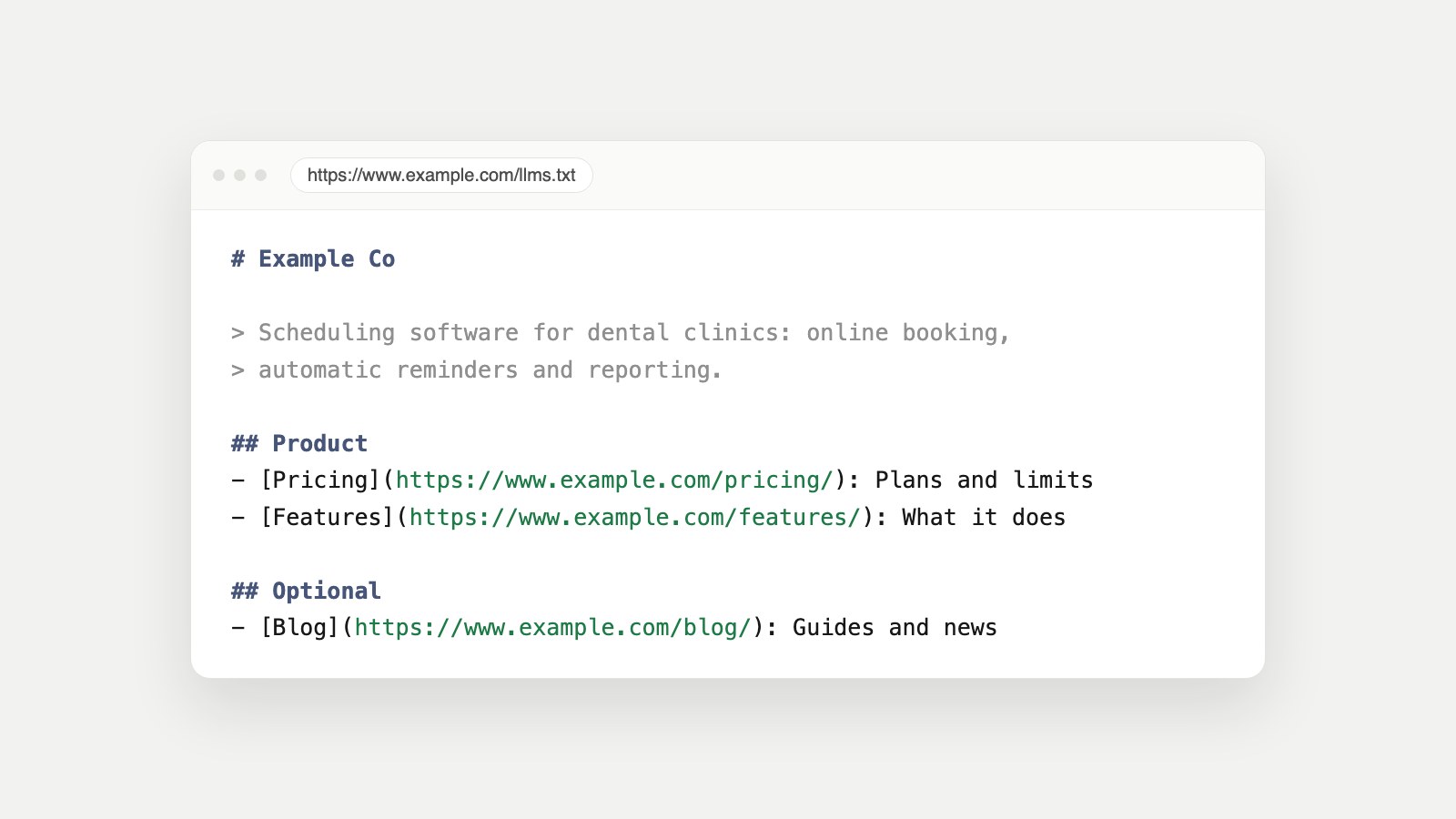
Here's what that looks like for a small software company:
# Example Co

> Scheduling software for dental clinics: online booking,
> automatic reminders and reporting.

Prices are in US dollars. Every plan includes a 14-day free trial.

## Product

- [Pricing](https://www.example.com/pricing/): Plans, limits and what each includes
- [Features](https://www.example.com/features/): Booking, reminders and reports

## Help

- [Getting started](https://www.example.com/docs/start/): Set up your clinic in 10 minutes

## Optional

- [Blog](https://www.example.com/blog/): Guides and product news
Two more details from the proposal. The file usually lives at the site root, but version 2 also allows one at a sub-path, covering the pages under it, which suits large documentation sites. And it recommends offering clean Markdown versions of important pages at the same address with .md added, so agents can read them without the HTML around them.
You don't have to write it by hand. The free LLMs.txt Generator builds one from your sitemap using your pages' own titles and descriptions, so you can review it and upload it in a few minutes.
llms.txt vs. robots.txt vs. sitemap.xml vs. llms-full.txt
| File | Its job | Format | Status |
|---|---|---|---|
| robots.txt | Says which crawlers may visit which paths | Plain text rules | Official standard (RFC 9309) |
| sitemap.xml | Lists every page you want indexed | XML | Widely supported by search engines |
| llms.txt | Gives AI a short map of your most important pages | Markdown | Proposal (llmstxt.org) |
| llms-full.txt | Puts the full text of key pages in one file | Markdown | Informal convention, not part of the llms.txt proposal |
The key difference is control versus guidance. robots.txt is the only one of these that can ask a crawler to stay away. llms.txt can't block anything, and it can't grant access either: if your robots.txt or firewall turns an AI crawler away, the crawler never reads your llms.txt. Our guide What Is Robots.txt? covers that side in detail.
Why Markdown, and not JSON, XML or YAML?
JSON, XML and YAML are built for software to parse, and a sitemap already uses XML. Markdown is different: it's easy for people to write and read, and language models handle it naturally because so much of the text they learn from looks like it. A plain .txt file in Markdown is readable by a human, a script and an LLM alike, which is exactly the point.
Does llms.txt Actually Work?
This is where most articles oversell it, so let's be precise.
- It isn't a ranking factor. Adding llms.txt won't move you up in Google.
- Google says you don't need it for AI Overviews. In its guidance on AI features, Google states: "You don't need to create new machine readable files, AI text files, or markup to appear in these features." The normal SEO fundamentals are what count there.
- Support is up to each AI tool. It's a proposal, and tools decide for themselves whether to look for it. Adoption is still early.
- It can't make AI cite you. It can make your site easier to understand for tools that read it. Being chosen still depends on access, useful content and trust.
So why bother? Because it costs almost nothing, it's harmless, and it's genuinely useful for the cases it was designed for: AI agents and assistants that read documentation, product pages and help centers. It also forces a useful exercise. Writing a one-line summary of your business and choosing your ten most important pages is good for your site whether an AI reads the file or not.
When Should You Add an llms.txt?
- Software, APIs and documentation sites: this is where agents use it most, and where clean Markdown pages help the most.
- Product and service businesses that want their key pages and an accurate one-line description in front of AI assistants.
- Sites where content loads with JavaScript: a plain-text map is a useful fallback for tools that don't run scripts.
Add it after the basics, not instead of them. First make sure AI crawlers can reach you, your main content is readable without JavaScript, and your structured data is in place. Our guide on how to check AI visibility walks through those checks in order.
How to Create and Publish llms.txt
- Generate a draft with the LLMs.txt Generator, or write one by hand using the format above.
- Edit the summary so it says exactly what you do and for whom, in one or two sentences.
- Keep the list short: the pages a customer or an agent actually needs. Put nice-to-have pages under
## Optional. - Save it as llms.txt and upload it to your site root, so it loads at
https://www.yoursite.com/llms.txt. - Open that address in a browser and confirm it shows plain text, not your normal web page.
- Run the free AI Visibility Checker. It confirms the file exists, has a title and links, and that the links still load.
Common llms.txt Mistakes
- Your server returns an HTML page at /llms.txt (often a styled 404 or the homepage) instead of the text file.
- Broken links to pages that have moved or been deleted.
- Listing every page. That's what a sitemap is for; llms.txt should be selective.
- Marketing copy instead of a clear summary. AI tools need to know what you do, not how amazing it is.
- Treating it as an access control. It doesn't block or allow anything; that's robots.txt.
- Forgetting to update it when your pricing, product names or key pages change.
FAQ
What is llms.txt in simple terms?
It's a short Markdown file on your website that tells AI tools who you are and which pages matter most, with a note on each. Think of it as a sitemap written for AI.
Who created llms.txt?
It was proposed by Jeremy Howard in September 2024 and is documented at llmstxt.org. It's a community proposal, not an official web standard.
Does Google use llms.txt?
Google's guidance on AI features says you don't need AI text files or special markup to appear in AI Overviews or AI Mode. Standard SEO fundamentals are what matter there.
Is llms.txt a ranking factor?
No. It won't improve your rankings. Its value is helping AI tools and agents that choose to read it understand your site faster.
Can llms.txt block AI crawlers?
No. Only robots.txt (and your firewall or CDN settings) control which crawlers can access your site. llms.txt is guidance, not access control.
What is llms-full.txt?
An informal companion file some sites publish with the full text of their key pages in one Markdown document. It isn't part of the llms.txt proposal itself.
Where do I put llms.txt?
Usually at the root of your site, so it loads at yourdomain.com/llms.txt as plain text. The current proposal also allows one at a sub-path covering the pages under it.
What does LLM stand for?
Large language model: an AI system trained on large amounts of text to understand and generate language. GPT, Claude, Gemini and Llama are examples.
Should every website have an llms.txt?
It's worth adding once the basics are done, because it's quick and harmless. It matters most for documentation, software and product sites that AI agents read often.
Want AI Visibility Checked Across Your Whole Site?
llms.txt is one small piece. Generative Engine Owl checks your llms.txt, finds missing schema and pages that describe your business differently, and suggests the fix. Owl-gorithm Hacker flags content AI crawlers can't see, and Game Plan Owl ranks every fix by impact. Start with the free tools, or see plans.
Sources
- The /llms.txt file, the llms.txt proposal by Jeremy Howard (version 2).
- AI features and your website, Google Search Central.
- How Google interprets the robots.txt specification, Google Search Central.
- RFC 9309: Robots Exclusion Protocol.
- Overview of OpenAI crawlers: GPTBot, OAI-SearchBot and ChatGPT-User.
- What is a sitemap, Google Search Central.