Key Takeaways
- robots.txt is a plain text file at the root of your site that tells crawlers which paths they may visit. It solves one problem: keeping bots away from the parts of a site that shouldn't be crawled.
- It's a request, not a lock. Search engines and well-behaved AI crawlers follow it; anyone can still open a "blocked" page.
- It controls crawling, not indexing. To keep a page out of Google, use a
noindexrobots meta tag or anX-Robots-Tagheader, and leave the page crawlable so Google can see it. - Crawlers fetch it first, follow the group that names them (or
*), and apply the longest matching rule. One wrong line can hide a whole site.
What Is Robots.txt?
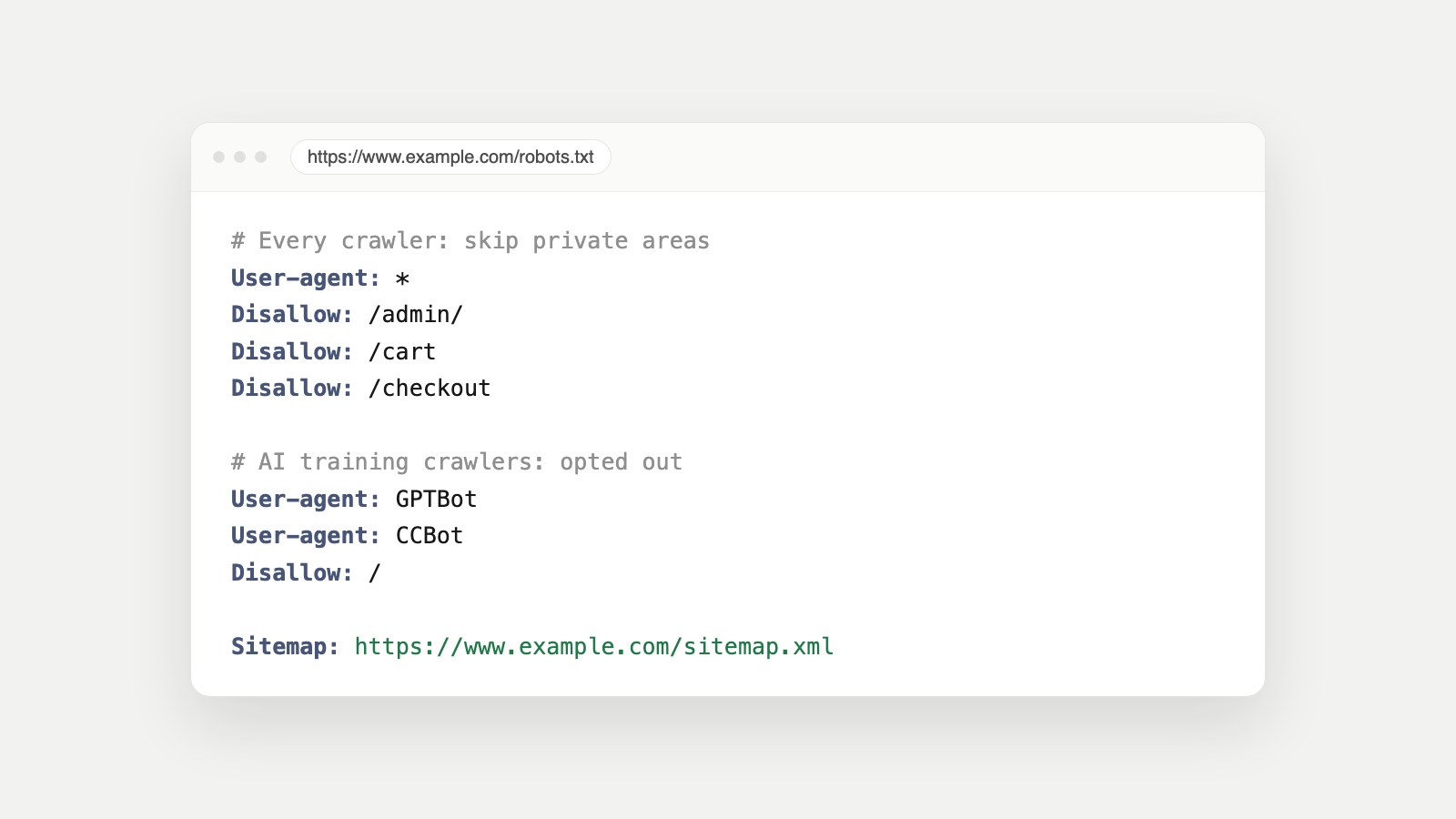
robots.txt is a small text file that lives at the root of a website, at an address like https://www.example.com/robots.txt. Before a crawler such as Googlebot, Bingbot or GPTBot visits your pages, it reads this file to find out which parts of the site it's allowed to crawl.
The rules follow the Robots Exclusion Protocol, a convention from the 1990s that was finally published as an official internet standard, RFC 9309, in 2022. So, is robots.txt still used? Very much: Google, Bing and the major AI companies all read it, and it's one of the first files any technical SEO audit checks.
What Problem Does Robots.txt Solve?
Without robots.txt, every bot would try to crawl everything it can reach. That's a problem for four reasons, and robots.txt answers each one:
- Pages that don't belong in search. Login screens, dashboards, carts, checkouts and internal search results add nothing to Google. robots.txt asks crawlers to skip them.
- Wasted crawl attention. Search engines only crawl so much of a site at a time. Blocking endless filter and sort URLs lets crawlers spend that time on the pages you care about.
- Choosing who uses your content. You can let AI search crawlers in, so ChatGPT and Perplexity can cite you, while opting out of AI training crawlers.
- Finding your pages. A
Sitemap:line points every crawler to your full list of URLs.
How Does Robots.txt Work?
Here's what happens, step by step, when a well-behaved crawler arrives at your site:
- It requests /robots.txt first, at the root of the exact host and protocol it's about to crawl.
www.example.com,example.comandshop.example.comeach need their own file. - It finds its group. The file is split into groups, each starting with one or more
User-agentlines. A crawler follows the group that names it. If none does, it follows theUser-agent: *group, and it never combines the two. - It matches the URL against the rules. Inside the group, the most specific rule (the longest matching path) wins. If an
Allowand aDisallowmatch with the same length, Google applies the less restrictive one,Allow. - It crawls, or skips. Allowed paths are crawled; disallowed paths are skipped.
Two details trip people up. First, crawlers cache the file: Google generally keeps its copy for up to 24 hours, so a change isn't seen instantly. Second, the HTTP status of the file itself matters. A 404 or other 4xx error (except 429) is treated as "there's no robots.txt", so everything may be crawled. A 5xx server error makes Google pause crawling the site for 12 hours, then fall back to the last good copy for up to 30 days. Keeping robots.txt reachable is part of keeping a site crawlable.
How to Find, Access and Read a Robots.txt File
Finding a robots.txt file is easy: type the domain followed by /robots.txt in your browser, for example https://www.example.com/robots.txt. It's public on every site, so you can read any competitor's file the same way. In Google Search Console, the robots.txt report shows the file Google last fetched and any errors it found.
To read one, go group by group. Each User-agent line says who the rules are for, and the lines below it say what that crawler may and may not visit. Blank lines and # comments are ignored. One note on case: the field names (User-agent, Disallow) aren't case-sensitive, but the paths are, so Disallow: /Admin does not block /admin.
Robots.txt Syntax Explained
| Line | What it does | Example |
|---|---|---|
| User-agent | Starts a group of rules for one crawler, or for every crawler with * | User-agent: Googlebot |
| Disallow | Asks the crawler not to visit paths that start with this value. An empty value blocks nothing | Disallow: /checkout |
| Allow | Makes an exception inside a disallowed path | Allow: /blog/ |
| Sitemap | Points crawlers to your XML sitemap. Applies to every crawler, wherever it appears | Sitemap: https://www.example.com/sitemap.xml |
| * and $ | * matches any sequence of characters; $ marks the end of a URL | Disallow: /*.pdf$ |
| Crawl-delay | Asks for a pause between requests. Google doesn't support it; some other crawlers, such as Bingbot, read it | Crawl-delay: 10 |
Notice what isn't in the table: noindex. Some old guides still put Noindex: lines in robots.txt. Google stopped supporting that in 2019, so those lines do nothing.
Robots.txt Examples
Allow everything
An empty Disallow blocks nothing. This is the same as having no restrictions at all:
User-agent: *
Disallow:
Disallow all (block every crawler)
This is the robots.txt "disallow all" rule. It's right for a staging site and a disaster on a live one, which is exactly how it usually ends up there:
User-agent: *
Disallow: /
Block private areas, keep everything else open
User-agent: *
Disallow: /admin/
Disallow: /account
Disallow: /cart
Disallow: /checkout
Disallow: /search

Sitemap: https://www.example.com/sitemap.xml
Opt out of AI training, stay visible in AI search
Training crawlers get their own group, so they follow only that group. AI search crawlers like OAI-SearchBot and PerplexityBot aren't named, so they follow the * group and can still read your public pages:
User-agent: *
Disallow: /admin/

User-agent: GPTBot
User-agent: ClaudeBot
User-agent: Google-Extended
User-agent: CCBot
Disallow: /

Sitemap: https://www.example.com/sitemap.xml
Want a file like this built for your own site? The free Robots.txt Generator reads your current robots.txt, finds private areas that actually exist on your site, and verifies the result before you copy it.
Robots.txt and SEO
Good robots.txt SEO is mostly about restraint. The file helps search engines focus on the right pages, but most of the damage comes from blocking too much:
- Don't block CSS or JavaScript. Google renders pages with them. A blocked stylesheet can make a page look broken to Google.
- Don't use it to remove pages from search. A disallowed URL can still be indexed if other pages link to it. Google just can't see its content, which is why Search Console shows statuses like "Indexed, though blocked by robots.txt".
- Do list your sitemap. It's one line, and it helps every crawler find every public page.
- Do keep the file reachable. As covered above, a robots.txt that returns a server error can pause crawling of the whole site.
And no, you can't force Google to crawl your site with robots.txt. The file can only ask crawlers to stay away. To ask Google to visit a page, use Request indexing in Search Console's URL Inspection tool, and submit an XML sitemap.
Robots.txt vs. Robots Meta Tag vs. X-Robots-Tag
These three names sound alike but do different jobs. robots.txt controls crawling. The robots meta tag and the X-Robots-Tag header control indexing:
| Control | Where it lives | What it does | Example |
|---|---|---|---|
| robots.txt | One file at the site root | Asks crawlers not to visit paths | Disallow: /checkout |
| Robots meta tag | In a page's HTML head | Tells search engines whether to index the page and follow its links | <meta name="robots" content="noindex, nofollow"> |
| X-Robots-Tag | In the HTTP response header | The same rules as the meta tag, for any file type, including PDFs and images | X-Robots-Tag: noindex |
What is the robots meta tag? It's an HTML tag like <meta name="robots" content="noindex, nofollow">. noindex keeps the page out of search results; nofollow tells search engines not to follow the links on it. Use noindex on its own if you still want the links followed. If a page you want in search still isn't showing up, our guide to why a page isn't indexed walks through every Search Console status and its fix.
What is X-Robots-Tag? It's the same instruction sent as an HTTP header by your server or CDN instead of inside the page. It's the only way to noindex files that have no HTML head, like PDFs, and it can be applied to whole folders in your server configuration.
The rule that ties them together: a crawler has to fetch a page to see its noindex. If you disallow a page in robots.txt and also add a noindex tag, Google never reads the tag. To remove a page from search, leave it crawlable and noindex it.
"No: 'noindex' detected in 'X-Robots-Tag' http header"
This message appears in Search Console's URL Inspection tool, under "Indexing allowed?". It means your server is sending X-Robots-Tag: noindex with that URL, so Google won't index it, even if the page's HTML says nothing about noindex. Because the instruction lives in the header, you won't find it by viewing the page source. Check the response headers instead (for example with curl -I https://www.example.com/page/), then remove the header from your server, CDN or SEO plugin settings if the page should be indexed.
Robots.txt vs. Sitemap vs. Canonical Tag
| File or tag | Its job | What it's not for |
|---|---|---|
| robots.txt | Says where crawlers may go | Removing pages from search, security |
| XML sitemap | Lists the pages you want indexed | Blocking anything |
| Canonical tag | Names the preferred version among duplicate pages | Blocking crawling |
They work best together: robots.txt keeps crawlers out of junk, the sitemap points them at what matters, and canonical tags tell search engines which duplicate to keep.
Robots.txt and AI Crawlers
AI companies send several crawlers, each with a different job, and robots.txt is how you choose between them. Training crawlers such as GPTBot, ClaudeBot and CCBot collect content to train models. AI search crawlers such as OAI-SearchBot, Claude-SearchBot and PerplexityBot decide whether your pages can appear and be cited in AI answers. User-triggered crawlers such as ChatGPT-User fetch a page when someone asks about it. Blocking training doesn't, on its own, remove you from AI search. Blocking the search and user crawlers does.
robots.txt is only half of the picture, though. A firewall or bot-protection setting can block AI crawlers that robots.txt allows. Our guide on how to check AI visibility shows how to test both, and the free AI Visibility Checker tests your rules against 18 search, AI search and AI training crawlers.
What Robots.txt Can't Do
- It can't protect private pages. The file is public and its rules are voluntary. Malicious bots ignore it, and listing a secret path in robots.txt actually advertises it. Use a login or password.
- It can't remove a page from Google. Use
noindex(meta tag or X-Robots-Tag) on a crawlable page, or Search Console's Removals tool for urgent cases. - It can't override your firewall or CDN. If bot protection blocks a crawler, robots.txt never gets a say.
- It can't force crawling. It only ever asks crawlers to stay away.
- It isn't a legal contract. Is robots.txt legally binding? It's a technical convention, not a law or an access control. Whether ignoring it has legal consequences depends on the jurisdiction and the circumstances, so if that matters to you, ask a lawyer rather than relying on the file.
Common Robots.txt Mistakes
- Shipping a staging file to production: a leftover
Disallow: /blocks the whole live site. - Blocking CSS and JavaScript files that search engines need to render pages.
- Typos in field names: a misspelled
Dissallowis silently ignored. - Wrong case in paths:
Disallow: /Blog/doesn't block/blog/. - Disallowing pages you want deindexed, so Google can never see their noindex tag.
- Forgetting subdomains:
shop.example.comandstaging.example.comeach need their own robots.txt. - Putting `Noindex:` or `Crawl-delay:` in robots.txt and expecting Google to obey them.
How to Validate Robots.txt
- Open
https://www.yoursite.com/robots.txtin a browser and confirm it loads as plain text with a 200 status. - Check the robots.txt report in Google Search Console for fetch errors and the version Google is using.
- Use URL Inspection on a few important pages to confirm they're allowed, and on a few private ones to confirm they're blocked.
- Run the free Robots.txt Generator as a robots.txt checker: it analyzes your current file, flags lines search engines ignore, and verifies every rule.
- Run the AI Visibility Checker to confirm search engines and AI search crawlers can reach your site.
FAQ
What is robots.txt in simple terms?
It's a text file at the root of your website that tells search engines and other crawlers which parts of the site they may visit. Think of it as a "staff only" sign: honest visitors respect it, but it doesn't lock any doors.
Where is the robots.txt file located?
At the root of each host, such as https://www.example.com/robots.txt. A robots.txt in a subfolder is ignored, and every subdomain needs its own file.
Is robots.txt still used?
Yes. Google, Bing and the major AI companies read it before crawling, and it was published as an official internet standard, RFC 9309, in 2022.
Is robots.txt legally binding?
It's a technical convention, not a law or an access control. Whether ignoring it has legal consequences depends on the jurisdiction and circumstances, so get legal advice if that matters to you.
Can you force Google to crawl your site?
No. robots.txt can only ask crawlers to stay away. To invite Google, submit an XML sitemap and use Request indexing in Search Console's URL Inspection tool.
What happens if a site has no robots.txt?
Crawlers treat a missing file (a 404) as permission to crawl everything. That's fine for many small sites, though a file with a Sitemap line is still worth having.
What's the difference between robots.txt and noindex?
robots.txt controls crawling; noindex controls indexing. To keep a page out of search results, leave it crawlable and add a noindex meta tag or X-Robots-Tag header.
Does robots.txt affect SEO?
Yes, mostly through mistakes. It can't push pages up the rankings, but blocking the wrong paths, or your CSS and JavaScript, can hurt how your site is crawled and shown.
Want This Checked on Every Change?
Robots rules tend to break quietly, during a redesign, a CMS migration or a plugin update. Owl-gorithm Hacker audits your robots.txt, robots meta tags and X-Robots-Tag headers for conflicts across your whole site, Generative Engine Owl checks how visible you are to AI search, and Game Plan Owl ranks each fix by impact. Start with the free tools, or see plans.
Sources
- RFC 9309: Robots Exclusion Protocol, the robots.txt standard.
- Introduction to robots.txt, Google Search Central.
- How Google interprets the robots.txt specification, including caching and HTTP status handling.
- Robots meta tag, data-nosnippet and X-Robots-Tag specifications, Google Search Central.
- Block search indexing with noindex, Google Search Central.
- A note on unsupported rules in robots.txt, Google Search Central Blog, 2019.
- robots.txt report, Search Console Help.
- Overview of OpenAI crawlers: GPTBot, OAI-SearchBot and ChatGPT-User.
- What is a sitemap, Google Search Central.