Key Takeaways
- Schema markup is code that tells search engines and AI tools, in exact terms, what a page is about: a business, a product, an article, a price, an opening time.
- It doesn't change how the page looks. It removes the guessing. Google uses it to understand pages and to show rich results such as product prices, breadcrumbs and event dates.
- Use JSON-LD, put it in the page's HTML (not only through JavaScript), and only mark up what visitors can actually see on the page.
- The most expensive mistakes are quiet ones: broken JSON, the wrong type, and prices in the code that don't match the page. Test every change.
What Is Schema Markup?
Schema markup is a shared vocabulary of labels that you add to a web page so machines can read its facts without interpreting the prose. Instead of a crawler working out that "$49" near the word "Pro" is probably a price, the markup says it outright: this is an offer, the price is 49, the currency is USD.
The vocabulary lives at schema.org, a project Google, Microsoft (Bing) and Yahoo started in 2011, with Yandex joining soon after. It defines hundreds of types (Organization, Product, Article, Event, Recipe) and the properties each type can have (name, price, author, startDate).
You'll see three names used for roughly the same thing. Structured data is the general idea of describing a page in a fixed format. Schema markup is structured data written with the schema.org vocabulary. JSON-LD is the format most people write it in today. So when someone asks "what is schema in SEO?", they usually mean all three at once.
What Problem Does Schema Markup Solve?
Web pages are written for people. The same fact can appear in a dozen ways: a price in a styled box, an address split across three lines, an author name in a footer. Humans cope. Software has to guess, and guesses go wrong. Schema markup fixes three specific problems:
- Ambiguity. "Apple" can be a fruit or a company; "Mercury" can be a planet, a car or a band. Typed markup says which one you mean.
- Identity. Your website, LinkedIn page, YouTube channel and Google Business Profile are separate places. The
sameAsproperty states that they all belong to one organization. - Precision. Prices, ratings, dates, opening hours and addresses become exact values instead of text fragments that might be read wrongly.
That last point matters more now than it did five years ago. AI assistants answer questions by pulling short facts from pages. When a fact is unambiguous in your code, it's far less likely to come back wrong in an answer.
How Does Schema Markup Work?
When a crawler fetches your page, it reads the HTML, finds the schema blocks and stores the facts alongside the page. Search engines then use those facts in two ways: to understand what the page and the business are, and to decide whether the page qualifies for a rich result, the enhanced listings with stars, prices, breadcrumbs or dates.
Two limits are worth knowing from the start. Markup makes a page eligible for rich results; it doesn't guarantee them, because Google decides what to show for each search. And Google's own introduction to structured data frames it around understanding pages and qualifying for rich results, not around rankings. Its value is in being understood correctly and in standing out when a rich result does appear.
JSON-LD, Microdata and RDFa
Google reads three formats. JSON-LD is a separate block of code, usually in the page's head, that doesn't touch your visible HTML. Microdata and RDFa add attributes to the visible HTML tags themselves. Google recommends JSON-LD because it's the easiest to write, read and maintain without breaking the page design, and it's what nearly every modern plugin and generator outputs.
| Format | Where it lives | Best for |
|---|---|---|
| JSON-LD | A <script type="application/ld+json"> block | Almost every site. Recommended by Google |
| Microdata | itemscope and itemprop attributes on HTML tags | Older templates that already use it |
| RDFa | vocab, typeof and property attributes on HTML tags | Sites built on linked-data systems |
A Schema Markup Example
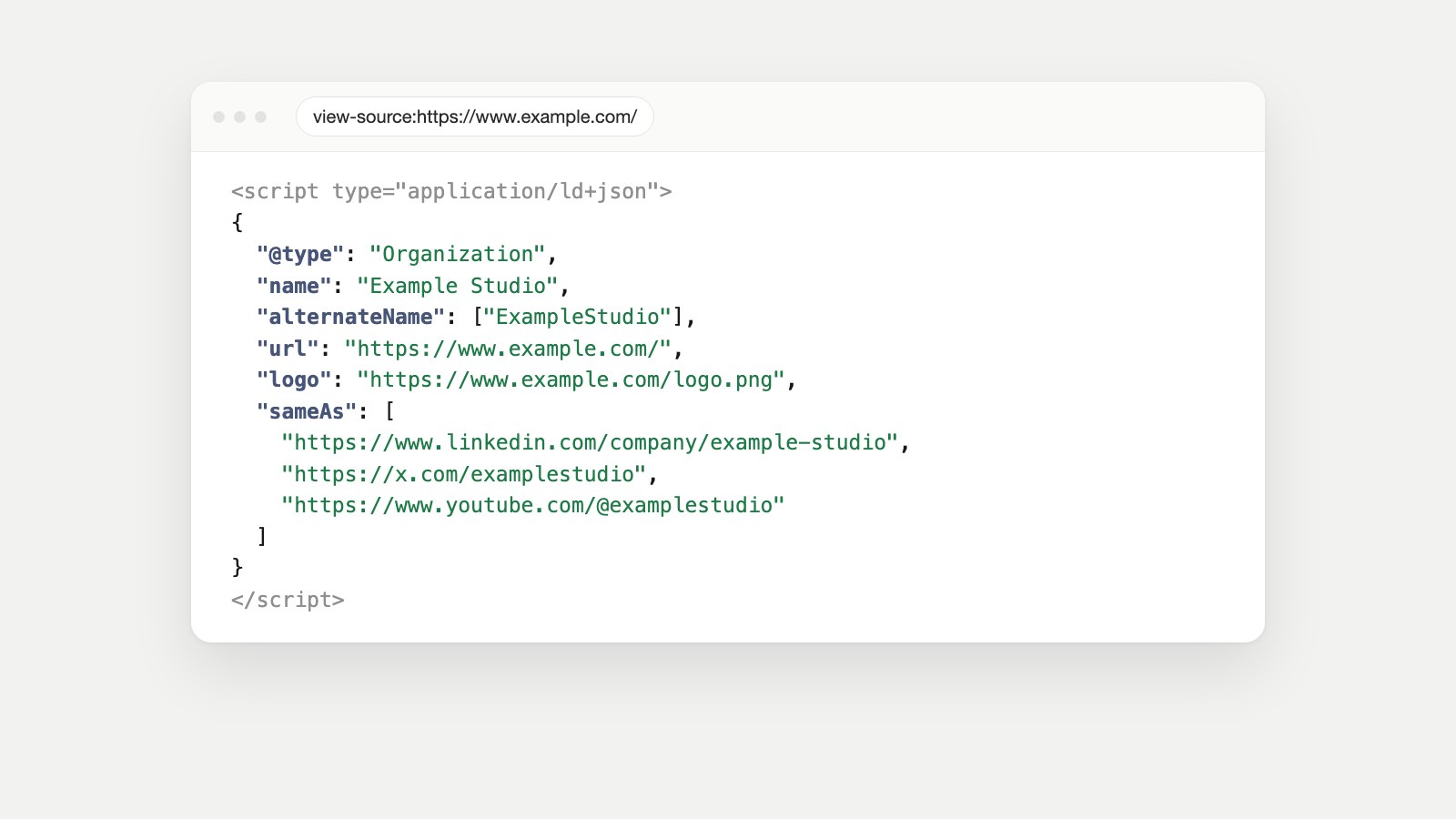
Here is a complete, valid schema markup example for a company homepage. It names the business, gives its logo, lists other spellings people search for, and links its official profiles:
<script type="application/ld+json">
{
  "@context": "https://schema.org",
  "@type": "Organization",
  "name": "Example Studio",
  "alternateName": ["ExampleStudio", "Example Studio Ltd"],
  "url": "https://www.example.com/",
  "logo": "https://www.example.com/logo.png",
  "sameAs": [
    "https://www.linkedin.com/company/example-studio",
    "https://x.com/examplestudio",
    "https://www.youtube.com/@examplestudio"
  ]
}
</script>
Read it like a form. @context says the vocabulary is schema.org. @type says this describes an Organization. Every other line is a property of that organization. alternateName is the line most sites forget: if people type your brand as one word, with an abbreviation or with "Ltd", list those spellings so search engines and AI tools connect them to you.
You can build a block like this in a minute with the generator in our free Schema Markup Checker, which covers Organization, LocalBusiness, SoftwareApplication, Article and FAQ pages.
Types of Schema Markup Most Websites Need
Schema.org has hundreds of types, but most websites need only a handful. Pick by what the page actually is:
| Type | Use it on | Key properties |
|---|---|---|
| Organization | Your homepage or About page | name, url, logo, sameAs, alternateName |
| LocalBusiness (or a subtype like Dentist, Restaurant) | A business customers visit | name, address, telephone, openingHours |
| Product | A physical product for sale | name, image, offers (price, priceCurrency, availability) |
| SoftwareApplication | Software, apps and SaaS | name, offers.price, applicationCategory, operatingSystem |
| Article or BlogPosting | Blog posts and news | headline, image, datePublished, author |
| BreadcrumbList | Any page below the homepage | itemListElement with position, name and item |
| FAQPage | A page of real questions and answers | mainEntity: Question with acceptedAnswer |
| Event | Webinars, concerts, classes | name, startDate, location |
Organization schema
This is the identity card for your business and the most important block for AI visibility. Put it on the homepage, keep the name exactly as you write it everywhere else, and fill in sameAs with every official profile.
Product schema (and when not to use it)
Product markup is for physical goods. Google checks product pages for two kinds of results: product snippets (which need a name plus offers, a review or a rating) and merchant listings (which also want an image, availability, shipping and return details). If you sell software or a service, use SoftwareApplication or Service instead, or Google will start asking for barcodes and shipping costs you don't have.
This happened to us. Our own pricing page used "@type": "Product", and Search Console flagged it under Merchant listings: missing image, shipping details, return policy and product identifier. We changed one word, to SoftwareApplication, and the shopping checks stopped applying.
Breadcrumb schema
BreadcrumbList describes where a page sits in your site, such as Home › Blog › This post. Google can show it in place of the raw URL in results. Every item needs a position number and a name.
FAQ schema: is it still relevant?
Partly. Since August 2023 Google shows FAQ rich results only for well-known, authoritative government and health websites, so most sites won't get the expandable questions in search anymore. The markup is still valid and still describes your questions and answers clearly for machines. Use it only on pages where the questions and answers are visible, and only for questions real customers ask. HowTo rich results were retired around the same time.
Why Schema Markup Matters for AI Search
In our 57-factor framework for AI visibility, schema markup sits in the Entity layer: the factors that decide whether AI understands who you are, not just what a page says. The other factors in that layer work with it:
- Consistency. Your site, profiles and directory listings should describe you the same way. Schema states the official version, but it can't fix a website that says "18 agents" on one page and "21" on another.
- sameAs. Links your website to your social and directory profiles so they're treated as one entity.
- Wikidata and Wikipedia. For established organizations, a Wikidata item gives AI systems an independent record to match against.
- Author markup. A Person with a name and profile link behind each article supports expertise and trust.
- Disambiguation. alternateName, a clear description and consistent naming separate you from companies with similar names.
Schema also touches two other layers. In the Content layer, FAQ, table and date markup make facts easy to quote. In the Commerce layer, accurate product and offer data feeds shopping results and AI agents that compare products and prices.
One technical detail decides whether AI crawlers ever see your markup. Google renders JavaScript, so it can read JSON-LD that a tag manager injects after the page loads. Most AI crawlers don't run JavaScript. If your schema only exists after scripts run, ChatGPT, Claude and Perplexity may never see it. Put it in the HTML your server sends. Our guide to what an AI crawler is explains how these bots read a page.
How to Add Schema Markup to a Website
- Decide the type for each page template: Organization on the homepage, Article on posts, Product or SoftwareApplication on product pages, BreadcrumbList everywhere below the homepage.
- Write the JSON-LD. Use a generator, a plugin, or write it by hand from the examples on schema.org. Fill every required property and only describe what's visible on the page.
- Add it to the page HTML, inside the
<head>or anywhere in the<body>. On a custom site, add it to the template so every page of that type gets it automatically. - Test it before and after publishing (see the next section).
- Watch Search Console. Its Enhancements and Shopping sections report errors per rich result type, page by page.
How to add schema markup in WordPress
WordPress SEO plugins such as Yoast SEO and Rank Math output Organization, WebSite, Article and BreadcrumbList markup automatically once you fill in their settings, so start there before adding anything by hand. For types the plugin doesn't cover, paste a JSON-LD block into the page using a custom HTML block or a header-code plugin. Check the result afterwards: two plugins writing overlapping schema is a common way to end up with conflicting data.
How to Check Schema Markup: Validators and Testing Tools
Use more than one tool, because each answers a different question:
| Tool | Question it answers |
|---|---|
| Google Rich Results Test | Is this page eligible for Google's rich results, and which ones? |
| Schema Markup Validator (validator.schema.org) | Is the markup valid schema.org, for any type, not just Google's? |
| Search Console Enhancements | Which pages across my site have errors, and are they fixed? |
| CMO Owls Schema Markup Checker | Is this the right type, are required fields there, and do the prices match the page? Try it free |
The difference matters. A page can pass Google's Rich Results Test and still describe your business wrongly: the type might be technically valid but wrong for the page, or a price in the code might be one you stopped charging months ago. Our homepage had exactly that, a plan price in the markup that no longer appeared anywhere on the site. Validators check syntax and eligibility; you also need to check the facts.
Common Schema Markup Mistakes
- Broken JSON. One missing comma or quote, and search engines ignore the entire block.
- The wrong type. Product on a software page, or Article on a product page.
- Facts that don't match the page. Prices, ratings or opening hours in the code that visitors can't see. Google treats markup that misrepresents a page as a guideline violation.
- Self-serving review stars. Since 2019 Google doesn't show star ratings that a business publishes about itself on its own LocalBusiness or Organization markup.
- Fake FAQs. Questions written for the markup instead of for customers.
- Schema that only loads with JavaScript, invisible to most AI crawlers.
- Duplicates and conflicts, usually from a theme and a plugin both writing Organization or Product blocks.
- Copying one page's markup site-wide, so every page claims to be the same article or product.
Is Schema Markup Important for SEO?
Yes, but for the right reasons. It won't lift a weak page up the rankings on its own. What it does is make sure search engines and AI tools understand your pages and your business precisely, make you eligible for rich results that earn more clicks, and remove one of the main reasons an AI answer gets your facts wrong. For the effort involved, usually an afternoon for a small site, few technical SEO tasks pay back as reliably.
FAQ
What is schema markup in simple terms?
It's code on a web page that labels the important facts, like your business name, a product's price or an article's author, so search engines and AI tools can read them exactly instead of guessing.
What is the difference between schema markup and structured data?
Structured data is the general idea of describing a page in a fixed format. Schema markup is structured data that uses the schema.org vocabulary, which is the one Google, Bing and AI tools understand.
Does schema markup improve rankings?
Not directly. Google presents structured data as a way to understand pages and qualify for rich results, not as a ranking boost. Rich results can earn more clicks, and accurate markup helps AI tools get your facts right.
What is the best schema markup format?
JSON-LD. Google recommends it, it doesn't touch your visible HTML, and almost every generator and plugin writes it.
How do I check if a website has schema markup?
Paste the page into Google's Rich Results Test, the Schema Markup Validator or our free Schema Markup Checker. You can also open the page source and search for application/ld+json.
Is FAQ schema still worth adding?
Only for real questions shown on the page. Google now shows FAQ rich results mainly for government and health sites, but the markup still describes your questions and answers clearly for search engines and AI tools.
Can schema markup hurt my site?
Markup that misrepresents the page, such as fake reviews or prices visitors can't see, breaks Google's guidelines and can lead to a manual action that removes your rich results. Accurate markup carries no risk.
Which schema type should my homepage use?
Organization, or LocalBusiness if customers visit you in person, usually with a WebSite block as well. Include your logo, sameAs profile links and any other spellings of your name in alternateName.
Keep Your Schema Right as Your Site Changes
Schema breaks quietly: a theme update duplicates a block, a price changes on the page but not in the code, a new template ships without markup. Generative Engine Owl checks which schema types are present or missing across your whole site, flags pages that describe your brand inconsistently, and suggests the fix. For other access problems that stop AI tools reading you, run the free AI Crawler Access Test and the AI Visibility Checker, and read our guide to checking your AI visibility.
Sources
- Introduction to structured data markup in Google Search, Google Search Central.
- General structured data guidelines, Google Search Central.
- Changes to HowTo and FAQ rich results, Google Search Central Blog, August 2023.
- Product structured data: product snippets and merchant listings, Google Search Central.
- Making review rich results more helpful, Google Search Central Blog, September 2019.
- Rich Results Test and Schema Markup Validator.
- Schema.org: the full vocabulary of types and properties.