Key Takeaways
- A service area business goes to its customers, like a plumber, cleaner or mobile mechanic, instead of customers coming to a shop. Google treats it differently.
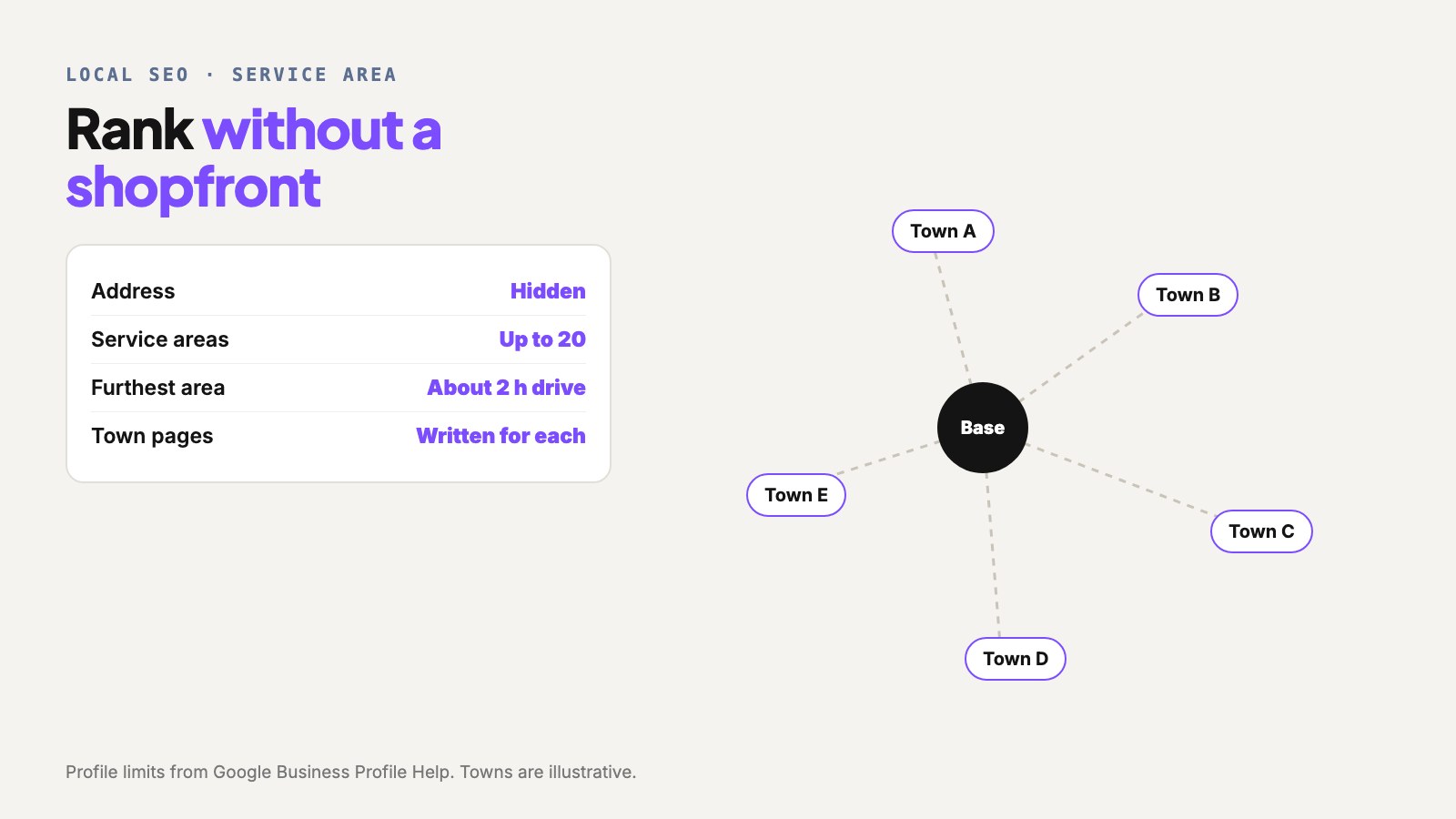
- Hide your address and list your service areas in your Google Business Profile: up to 20 areas by city or postcode, no more than about two hours' drive from your base.
- You'll rank most easily near your base. To win other towns, build genuinely useful pages for each one, not near-identical copies, which Google calls doorway pages.
- Reviews, a fast mobile site and clear service pages matter even more for service businesses, because customers can't walk past and see you.
What Counts as a Service Area Business
A service area business is one that serves customers at their location rather than at its own. Google's guidelines for representing your business distinguish three kinds: businesses customers visit, businesses that only travel to customers, and hybrids that do both.
| Type | Examples | Show your address? |
|---|---|---|
| Storefront | Restaurant, shop, clinic | Yes |
| Service area only | Plumber, cleaner, mobile mechanic, mobile dog groomer | No: hide it |
| Hybrid | Garage that also does call-outs, caterer with a shop | Yes, plus service areas |
If you work from home or a yard customers don't visit, you're service area only. Google says such a business should have one profile for its central office or location with a designated service area, and should hide its business address from customers. A hybrid business can show its address only if the location is staffed and can receive customers during its stated hours.
Why Service Area Businesses Rank Differently
Google ranks local results by relevance, distance and prominence, and distance is measured from your verified location, not from your service area. That's spelled out in Google's guide to improving your local ranking.
In practice, this means a plumber based in one town usually ranks well in the map results for that town and less well twenty miles away, even if they serve both. Listing a town as a service area tells Google you work there; it doesn't place you in that town's map results by itself. Your website does much of the work outside your base: pages about your services in each area can rank in normal search results, where distance matters less than relevance.
That's the core strategy of this guide: win the map near your base with your Business Profile and reviews, and win the wider area with your website.
Step 1: Set Up Your Google Business Profile Correctly
- Use your real business name. Google doesn't allow extra keywords or locations in the name unless they're part of the real-world name; "Smith Plumbing" is fine, "Smith Plumbing Emergency Plumber London" isn't.
- Hide your address if customers don't visit you.
- Add your service areas. Google's service area help says you can set up to 20 areas by city, postcode or region, not as a radius, and the whole area shouldn't extend more than about two hours' drive from your base.
- Pick the most specific primary category that describes what you do, and add secondary categories only for services you really offer.
- Fill in services, hours and photos of real jobs, your van and your team.
- Get listed on the other maps too: Bing Places and Apple Business Connect feed Bing, Copilot, Apple Maps and Siri.
Don't list towns you'd never actually drive to. A tight, honest service area converts better, and Google's guidelines limit how far it can stretch.
Step 2: Build Town Pages That Deserve to Rank
A page for each main town you serve can rank where your map listing can't, but only if each page is genuinely useful on its own. This is where most service businesses go wrong.
Google's spam policies define doorway abuse as pages created to rank for similar searches, and list "multiple domain names or pages targeted at specific regions or cities that funnel users to one page" as an example. Fifty pages that only swap the town name are exactly that.
| Category | Doorway page (avoid) | Useful town page (build) |
|---|---|---|
| Content | Same text, town name swapped | Written for that town |
| Proof | None | Jobs done there, photos, reviews from local customers |
| Specifics | Generic services list | Response times, parking or access notes, local building types |
| Purpose | Funnel visitors to the homepage | Answer that town's customers fully |
Start with your three to five most valuable towns. For each, write about real work you've done there, what customers there usually need, how quickly you can reach them, and what it costs to call you out, if you publish prices. Add reviews from customers in that town. A smaller number of real pages beats a long list of thin ones.
Step 3: Make Each Service Its Own Page
Customers search for the job, not the trade. People type "boiler repair", "blocked drain" or "car battery replacement at home", not "plumber services". One page per main service, explaining what it involves, how long it takes and when to call, gives Google and AI assistants a clear answer to match.
Link each service page to the town pages, and each town page to the services you offer there. Keep the pages fast on a phone, because most service searches are urgent and mobile; our guides on making a website mobile-friendly and why a website is slow cover the details.
Step 4: Add Structured Data
Structured data tells search engines exactly what you do and where. Google's documentation on local business structured data covers the LocalBusiness type, and schema.org's areaServed property lets you state the areas you serve.
For a service area business, mark up your business name, phone, opening hours and service areas, and leave out a street address if you've hidden it in your profile, so the two don't contradict each other. Test the result with our Schema Markup Checker, and read our schema markup guide for the basics.
Step 5: Build Prominence With Reviews and Mentions
Service businesses live on trust, and reviews are the most visible proof. Google says more reviews and positive ratings can help local ranking. Ask every customer, at the end of every job, with a direct link; our guide on how to get more Google reviews gives you the full system and the rules.
Beyond reviews, get listed where your customers look: trade association directories, local business groups and the local sites that cover your area. Each genuine mention makes you more prominent to Google and more familiar to AI assistants that recommend businesses.
Paid placement is a separate route. Google Local Services Ads show screened service businesses above normal results in many countries and categories. They don't replace organic visibility, but they can fill the gap in towns where your map listing doesn't reach.
How to Measure Results Town by Town
Track each town separately, because a service area business can be strong in one town and invisible in the next. One overall number hides exactly the gaps you need to fix.
| Signal | Where to find it | What it tells you |
|---|---|---|
| Calls and direction requests | Your Business Profile's performance view | How well the map listing works near your base |
| Search impressions for town pages | Google Search Console, filtered by page | Whether each town page is being shown |
| Enquiries mentioning each town | Your booking form or call notes | Which towns actually bring work |
| Reviews from customers in each town | Your reviews | Where your reputation is strongest |
Review the numbers monthly. A town page with impressions but no enquiries needs a clearer call to action or better proof; a town with no impressions at all needs a more useful page, more reviews from customers there, or local mentions. Add new towns only once the first ones are working.
Common Service Area Mistakes
- Showing a home address customers aren't meant to visit.
- Stuffing the business name with services and towns. It breaks Google's guidelines and can get the profile suspended.
- Listing every town in the county as a service area, far beyond where you actually work.
- Copy-paste town pages that only change the town name.
- One page listing every service. It can't answer any single search well.
- Inconsistent details: a different phone number or business name on your website, profile and directories.
How CMO Owls Runs Service Area SEO for You
CMO Owls is built for small service businesses that don't have time to write town pages, check their website and track what AI assistants say. Your Google Business Profile is edited in Google's own dashboard; CMO Owls does the website, content and search work that wins the towns your map listing can't reach.
| Job | Agent | What it does for you |
|---|---|---|
| Plan which towns and services to target | Game Plan Owl | Builds a monthly content roadmap from your audit, competitors and Search Console |
| Write useful service and town pages | Owlthor | Researches what ranks for each service and writes the page, sent to WordPress or your CMS |
| See who you're up against | Spy Owl | Finds your real competitors, what they rank for that you don't and who links to them |
| Keep the site fast and working | Watch Owl | Checks every page in a real browser, lists problems worst first and fixes simple ones on WordPress, Ghost, Shopify and GitHub |
| Show up in AI answers | Generative Engine Owl | Tracks what ChatGPT, Gemini, Claude and Google AI Overviews say about you, and why they skip you |
| Get a second opinion | Talk to an Expert | Book a call with an SEO specialist about one specific question |
When you add your website, the Overview shows a report within minutes: your site's health, what AI tools can read, your competitors and a list of article ideas for your services. From there, the Owls keep writing, checking and tracking every week, while you do the jobs.
Mind Map: SEO for Service Area Businesses
Frequently Asked Questions
What is a service area business?
A business that serves customers at their location, such as a plumber, cleaner or mobile mechanic, rather than at a shop customers visit. Google asks these businesses to hide their address and list service areas.
Should a service area business hide its address on Google?
Yes, if customers don't visit you. Google's guidelines say service-area businesses should hide the business address. Hybrids can show it only if the location is staffed during stated hours.
How many service areas can I add to my Google Business Profile?
Up to 20, set by city, postcode or region. Google says the overall area shouldn't extend more than about two hours' drive from your base.
Why don't I rank in the map results for towns I serve?
Map results weigh distance from your verified location, so you rank most easily near your base. Useful town and service pages on your website help you rank in normal results elsewhere.
Are city pages bad for SEO?
Copy-paste city pages are, because Google treats pages that only swap the town name as doorway abuse. Pages written for each town, with real local work and reviews, are fine and often effective.
Can I put my service areas in my business name?
No. Google doesn't allow extra keywords or locations in the business name unless they're part of the real-world name.
Should a service area business use a virtual office address?
No. Google's guidelines expect a real location you operate from; virtual offices and mailboxes that aren't staffed aren't eligible addresses. Use your real base and hide it if customers don't visit.
Do service area businesses need a website?
Yes. The Business Profile wins searches near your base; your website's service and town pages are what win the wider area and give AI assistants something clear to cite.
The Next Step
Check that your Business Profile hides your address and lists only the areas you really serve, then pick the three towns that matter most and plan one genuine page for each. To have the pages researched and written, your site checked and your AI visibility tracked, add your website to CMO Owls. For the full local checklist, see our local SEO audit guide, and if you run a garage, our guide to auto repair shop marketing.
Sources
- Guidelines for representing your business on Google, Google Business Profile Help, 2026.
- Manage your service area, Google Business Profile Help, 2026.
- Tips to improve your local ranking on Google, Google Business Profile Help, 2026.
- Spam policies for Google web search, Google Search Central, 2026.
- Local business (LocalBusiness) structured data, Google Search Central, 2026.
- areaServed, Schema.org, 2026.
- Bing Places for Business, Microsoft, 2026.
- Apple Business Connect, Apple, 2026.
- Local Services Ads, Google, 2026.