Key Takeaways
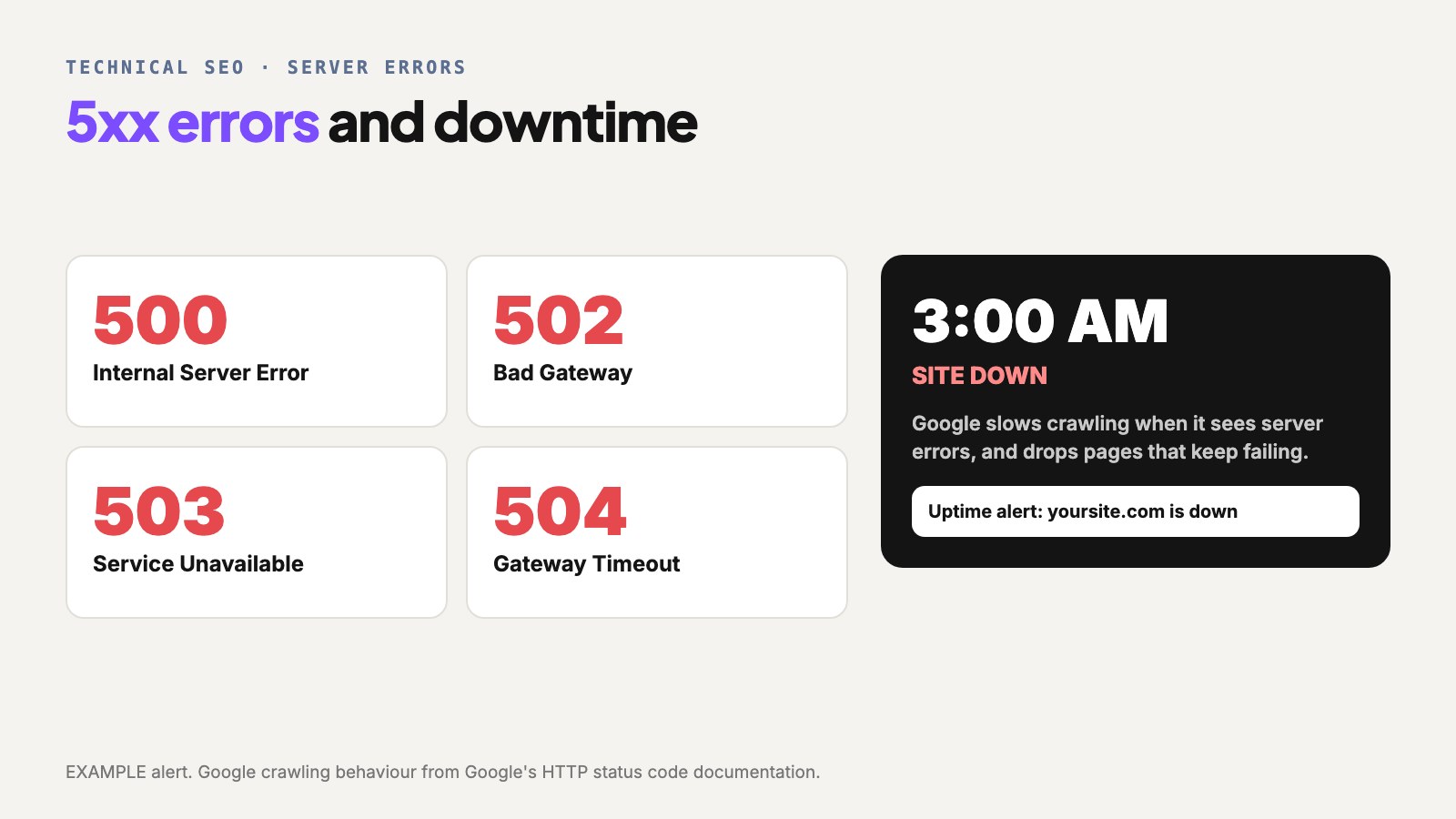
- A 5xx error means your server failed to answer a request it should have handled. Unlike a 404, which means one page is missing, a server error can affect every page at once.
- Google says server errors make its crawlers slow down, and URLs that keep returning server errors are eventually dropped from the index.
- For planned maintenance, return a 503 with a Retry-After header, never a 200 "under construction" page or a 404.
- You can't fix what you don't see. A free uptime monitor and a regular site crawl catch errors at 3 a.m. instead of a customer catching them at 9.
What a 5xx Error Means
A 5xx status code means the problem is on the server's side, not the visitor's. HTTP status codes are grouped by their first digit, defined in the HTTP standard RFC 9110 and explained plainly on MDN. Codes starting with 4 are client errors, like a page that doesn't exist. Codes starting with 5 mean the server itself failed.
| Code | Name | What it usually means | Typical cause |
|---|---|---|---|
| 500 | Internal Server Error | Something broke while building the page | A plugin, theme or code error; a database problem |
| 502 | Bad Gateway | One server got a bad answer from another | The app behind your web server crashed or restarted |
| 503 | Service Unavailable | The server is overloaded or in maintenance | Traffic spikes, maintenance mode, hosting limits |
| 504 | Gateway Timeout | A server waited too long for another | Slow database queries, overloaded hosting |
| 429 | Too Many Requests | Rate limiting (technically a 4xx) | Firewall or host limiting visitors or bots |
Compare that with a 404. A 404 means one address leads nowhere, which is annoying but contained; our guide to broken links covers it. A 5xx means the website failed to answer at all. When it happens on many pages at once, everyone who arrives in that moment, visitors and search engines alike, hits a wall.
How Server Errors Hurt Your Rankings
Google reacts to server errors in two stages: it slows down, then it starts dropping pages. Its documentation on HTTP status codes and network errors is explicit.
- Crawling slows. 5xx and 429 errors make Google's crawlers temporarily slow down, and the decrease is proportionate to the number of URLs returning errors. Fewer visits means new and updated pages are found later.
- Pages drop out. Google's indexing pipeline removes URLs that persistently return a server error. Already indexed URLs are kept for a while, but are eventually dropped.
- Recovery is gradual. Once the server answers normally again, Google increases the crawl rate step by step, not instantly.
A short blip rarely matters. A site that fails every evening at peak time, or goes down for a weekend, can lose pages from Google and visitors in the same stretch. If your traffic suddenly fell, our guide to why website traffic drops helps you check whether server errors are the cause.
How to Find Server Errors
Check three places: Search Console, an uptime monitor and a full-site crawl. Each catches what the others miss.
1. Google Search Console
Open the Page indexing report and look for "Server error (5xx)" in the list of reasons pages aren't indexed. Then open the Crawl Stats report under Settings: it shows how Googlebot's requests were answered over time, so a spike in server errors, or a host that slowed down, shows up as a pattern.
2. An uptime monitor
A monitor checks your site every few minutes and alerts you when it stops answering. Free services such as UptimeRobot send an email or app notification within minutes of an outage. This is what turns "we were down all night" into "we were down for six minutes".
3. A full-site crawl
Uptime monitors usually check one address, typically the homepage. Server errors often hit only certain pages: a slow search page, a product feed, a form handler. A crawler that opens every page finds those. When we audited our own 142 pages, every page returned a healthy status, but that's exactly the result you want to confirm regularly rather than assume; see our website audit case study.
How to Fix the Most Common Causes
Match the fix to the code and the pattern.
| Pattern | Likely cause | Fix |
|---|---|---|
| 500 on every page after an update | A plugin, theme or code change | Roll back the last change, then test it on a staging copy |
| 500 on one type of page | A bug in that template or a failing database query | Check the server error log for that URL; ask your developer |
| 502 or 504 under load | The app or database is too slow or crashing | Add caching, optimise heavy queries, upgrade the plan |
| 503 at busy times | The host is limiting resources | Upgrade hosting or add a content delivery network |
| 429 or 503 only for bots | A firewall or security plugin limiting crawlers | Allow verified search engine crawlers |
| Errors at random | An unstable server or host | Move to more reliable hosting |
Your server's error log is the most useful single source: it records exactly which request failed and why. Most hosting dashboards let you download it. If load is the issue, the same fixes that help with speed apply, which we cover in our guide to why a website is slow.
What to Send Your Host or Developer
A clear message gets server errors fixed faster. Hosts and developers need the error code, the affected addresses, the times and what changed. Copy and adapt this:
"Hi, our site is returning [500 / 502 / 503 / 504] errors on [these pages / all pages] since [date and time]. Google Search Console lists [number] pages with "Server error (5xx)", and our uptime monitor recorded outages at [times]. The last change we made was [plugin update / new theme / traffic campaign]. Could you check the server error log for those requests and tell us the cause and the fix? Thank you."
Include screenshots of the Search Console report and the monitor alerts. If the errors only appear under heavy traffic, say so: it points to capacity rather than a code bug, which changes the fix completely.
Server Errors vs Other Problems
| What you see | Likely problem | Where to look |
|---|---|---|
| Every visitor gets an error page | Server error (5xx) | Uptime monitor, hosting status |
| One page says "not found" | 404: missing page | Broken link report |
| The page loads but very slowly | Speed problem | PageSpeed Insights |
| Google shows "Crawled, not indexed" | Indexing choice, not an error | Page indexing report |
| Only bots get errors | Firewall or rate limit | Security settings, server log |
Telling these apart saves hours: a speed problem needs caching or lighter pages, a 404 needs a redirect, and only a true server error needs the server itself fixed.
How to Handle Planned Maintenance
When you take the site down on purpose, tell search engines it's temporary with a 503. Google's advice on handling planned site downtime is to return 503 Service Unavailable, optionally with a Retry-After header saying when to come back.
- Return 503, not 200. A maintenance page served with a normal 200 status can be indexed in place of your real content.
- Don't return 404 for a temporary outage; it says the page is gone.
- Add Retry-After with the expected duration.
- Keep it short. Google warns that a 503 lasting a long time can be read as the server being permanently unavailable, and URLs can be removed.
- Schedule maintenance for your quietest hours, and check the site afterwards.
If you need search engines to crawl more gently for a while, Google's guide to reducing Googlebot's crawl rate explains the safe ways to do it.
A Simple Weekly Routine
- Every day: an uptime monitor watches the homepage and alerts you.
- Every week: glance at Search Console's Page indexing report for new "Server error (5xx)" entries.
- Every month: crawl the whole site, and after every plugin update or redesign.
- After any fix: use URL Inspection to confirm Google can fetch the page, and our Redirect Checker or Broken Link Checker to confirm links resolve.
How CMO Owls Catches Server Errors Before Customers Do
CMO Owls checks every page of your site in a real browser, sorts what it finds by urgency, and keeps checking on a schedule, so a failing page is a line in your report, not a customer you never hear from.
| Category | Uptime monitor alone | Search Console alone | CMO Owls |
|---|---|---|---|
| Checks every page, not just the homepage | No | Only pages Google crawled | Yes, up to 500 pages per check |
| Plain-English explanation and fix | No | Technical labels | Yes, worst problem first |
| Catches errors, broken links and slow pages together | No | Partly | Yes |
| Shows what changed since last time | No | Partly | Yes: new, worse and fixed |
| Alerts you when traffic falls | No | No | Yes, with Cash Cow Stalker |
| Writes the message for your developer | No | No | Yes |
- Watch Owl opens up to 500 pages in a real browser and runs 54 checks on each: status codes, server errors, broken links, console errors, forms and load time. Findings are sorted urgent, important and minor, and automatic re-checks show what's new, what got worse and what got fixed.
- Cash Cow Stalker checks your top pages every five days and alerts you when clicks fall, rankings slip or a page drops out of Google, with the real numbers.
- Owl-gorithm Hacker runs a technical SEO audit covering indexing and server response alongside on-page basics.
When you add your website, Watch Owl's first check starts automatically and the Overview shows its first results within about a minute. Pair it with a free uptime monitor for the homepage, and you'll know about server errors long before Google or your customers do.
Mind Map: Server Errors and Downtime
Frequently Asked Questions
What is a 5xx server error?
It's a response code meaning your server failed to answer a valid request. Common ones are 500 Internal Server Error, 502 Bad Gateway, 503 Service Unavailable and 504 Gateway Timeout.
Do server errors hurt SEO?
Yes, if they persist. Google slows its crawling when it sees server errors, and URLs that keep returning them are eventually dropped from the index.
What's the difference between a 404 and a 500 error?
A 404 means one page doesn't exist. A 500 means the server failed while trying to answer, which can affect many pages at once and is usually more urgent.
How long can my website be down before Google drops pages?
Google doesn't publish a fixed time. Short outages are usually fine; it removes URLs that persistently return server errors, so the longer and more frequent the errors, the bigger the risk.
What should my site show during maintenance?
A short maintenance message served with a 503 status and a Retry-After header. Avoid serving it as a normal 200 page or a 404.
How do I know if my website went down overnight?
Use an uptime monitor, which checks your site every few minutes and alerts you by email or app notification. Search Console's Crawl Stats report also shows server errors Googlebot met.
Why do I get 503 errors only for search engine bots?
Usually a firewall, security plugin or host rate limit is treating crawlers as attackers. Allow verified search engine crawlers so they can reach your pages.
The Next Step
Set up a free uptime monitor for your homepage today, then open Search Console's Page indexing report and look for "Server error (5xx)". To check every page, not just the homepage, and keep checking automatically, add your website to CMO Owls. For duplicate pages that split your rankings, read our guide to canonical tags, and to see how Bing handles your site, our guide to Bing Webmaster Tools.
Sources
- How HTTP status codes, and network and DNS errors affect Google Search, Google, 2026.
- How to deal with planned site downtime, Google Search Central Blog, 2011.
- RFC 9110: HTTP Semantics, IETF, 2022.
- HTTP response status codes, MDN Web Docs, 2026.
- Page indexing report, Search Console Help, 2026.
- Crawl Stats report, Search Console Help, 2026.
- Reduce the Googlebot crawl rate, Google Search Central, 2026.
- UptimeRobot, UptimeRobot, 2026.