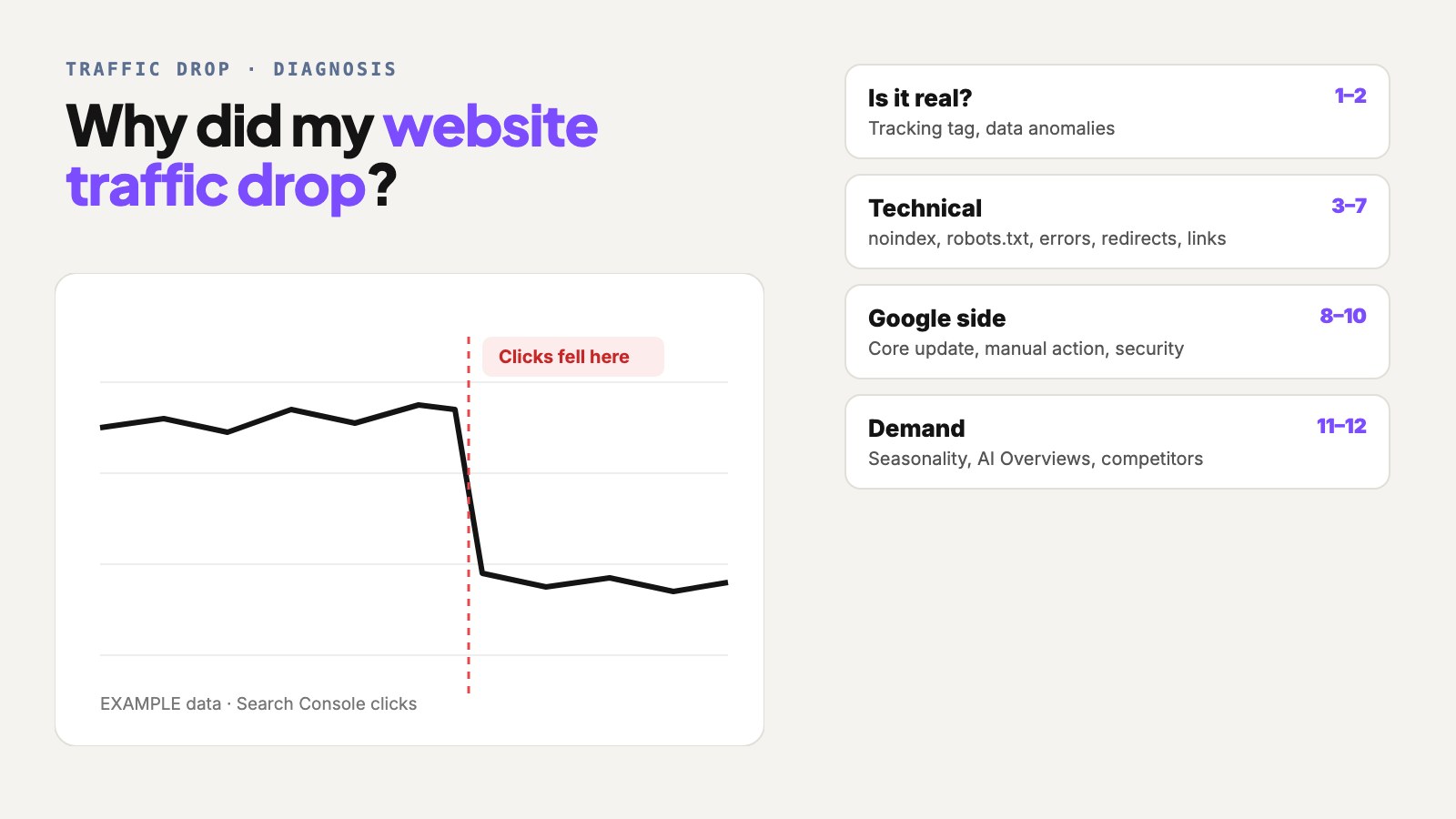
You open your analytics and the line has fallen off a cliff. Before you rewrite pages or blame Google, slow down: many drops have a simple cause, and some aren't real drops at all. If you're asking "why did my website traffic drop?", this guide gives you a diagnosis you can run in about 30 minutes, then 12 causes to work through, each with where to look and how to fix it.
It's written for business owners and marketers, not engineers. Everything uses free tools, mostly Google Search Console.
Key Takeaways
- Check tracking first. A missing analytics tag or a new cookie banner can make traffic look like it vanished when visitors are still arriving.
- Read the pattern: if impressions and clicks both fell, it's usually visibility (technical, Google, demand). If impressions held but clicks fell, look at titles, snippets and search features.
- Sharp, sitewide drops usually point to technical problems such as a noindex tag, a robots.txt block or a broken migration.
- Gradual drops are more often algorithm updates, competitors, seasonality or AI Overviews answering the question on Google.
- Get warned next time: monitoring your top pages catches drops in days, not months.
First, Make Sure the Drop Is Real
Compare Google Search Console with your analytics before you do anything else. Search Console counts clicks from Google directly, so if it shows steady clicks while analytics shows a crash, your tracking is the problem, not your traffic.
Common tracking causes:
- The analytics tag was removed during a theme change, redesign or plugin update.
- A new consent banner stopped analytics loading for visitors who don't accept cookies.
- Filters or a property change in analytics are hiding traffic.
- A reporting glitch: Google publishes known gaps on its data anomalies page, so check it for the dates of your drop.
If both tools show the drop, it's real. Move on.
Read the Pattern Before You Hunt
Open the Search Console Performance report and look at impressions and clicks together; the shape tells you where to look. This is the method Google itself recommends in its guide to debugging drops in Search traffic.
| What you see | Likely meaning | Where to look first |
|---|---|---|
| Impressions and clicks fell sharply on one day, sitewide | Technical problem or site move | Page indexing report, robots.txt, recent site changes |
| Impressions and clicks fell gradually over weeks | Algorithm update, competitors or falling demand | Search Status Dashboard, Google Trends, competitor pages |
| Impressions steady, clicks fell | Fewer people clicking your result | Titles and snippets, AI Overviews, rich results on the page |
| Drop only on some pages or one section | Page-level problem | URL Inspection on a few affected pages |
| Same dip at the same time last year | Seasonality | Last 16 months view in Search Console |
A 30-Minute Diagnosis in Search Console
Work through these steps in order and write down what you find; most drops are explained by step 5.
- Set the date range to "Last 16 months" to see if the same dip happened last year.
- Use the Compare tab: compare the last three months with the previous period, then check queries, pages, countries and devices to see where the loss is concentrated.
- Sort the Pages table by click difference to find the pages that lost most.
- Check the Page indexing report for a jump in excluded or errored pages. Google's Page indexing report help explains each status.
- Check Manual actions and Security issues. Both reports should say no issues detected.
- Check the Search Status Dashboard for an update that started near your drop date: the Google Search Status Dashboard lists ranking updates and incidents.
- Inspect two or three affected URLs with URL Inspection to see whether Google can crawl and index them now.
The 12 Causes, and How to Fix Each
These are grouped by type: measurement, technical, Google-side and demand. Check them roughly in this order, because the early ones are quickest to confirm and fix.
Measurement
- 1. Tracking broke. Fix: reinstall the analytics tag, check consent settings, and compare against Search Console.
- 2. A reporting glitch. Fix: check Google's data anomalies page and wait for the corrected data.
Technical
- 3. A noindex tag was added by a theme, plugin or staging setting carried over to the live site. Fix: remove it and request reindexing. Our free Indexability Checker shows whether a page is blocked.
- 4. robots.txt blocks Google. Fix: remove the blocking rule. See what robots.txt does and generate a safe file with our robots.txt generator.
- 5. Server errors or downtime. Fix: check the Crawl Stats report for 5xx errors and talk to your host.
- 6. A redesign or migration changed URLs without redirects. Fix: map old URLs to new ones with 301 redirects. Google's site move guide says medium sites may take a few weeks to recover; check yours with our Redirect Checker and read what a 301 redirect is.
- 7. Broken internal links or a broken sitemap. Fix: run our Broken Link Checker, repair the links and resubmit your sitemap.
Google-side
- 8. A core or other algorithm update. Google makes core updates "several times a year", per its core updates guide. Fix: wait at least a week after the rollout ends, compare before and after, and improve the pages that lost most. Avoid quick fixes; recovery can take months.
- 9. A manual action for spam. Fix: read the Manual Actions report, fix the problem (often bought links or thin pages), then request a review.
- 10. A security issue. Malware or phishing warnings scare visitors away. Fix: follow the Security Issues report steps, clean the site and request a review.
Demand
- 11. Seasonality or falling interest. Fix: check Google Trends for your main queries. If the whole market dropped, it's not your site; plan content for the next peak.
- 12. Search results changed: AI Overviews, competitors or new features. Pew Research found people clicked a regular result in 8% of visits when an AI summary appeared, versus 15% without one. Fix: improve titles and answer-first content, read how to rank in AI Overviews, and see who overtook you with an SEO competitor analysis.
Worked Example: An Online Shop After a Redesign
Here's how the diagnosis plays out on a common case. The shop and numbers are an EXAMPLE.
A homeware shop launches a new site on a Monday. By Friday, organic clicks are down 40%. Search Console shows impressions and clicks both fell sharply on launch day, which points to a technical cause, not an algorithm update.
- Pages table: the biggest losses are product category pages.
- URL Inspection: the old category URLs return 404 errors. The new site uses different URLs and no redirects were set up.
- Page indexing report: a jump in "Not found (404)" pages confirms it.
- Fix: the developer maps each old category URL to its new one with a 301 redirect and updates internal links. The shop resubmits the sitemap.
Over the following weeks, Google recrawls and traffic recovers gradually, in line with Google's note that site moves cause fluctuations while it recrawls. The lesson: check redirects before launch day, not after.
When Only One Page Lost Traffic
If the drop is concentrated on a single page, the cause is usually that page or a competitor, not your whole site. The Pages table in Search Console shows this quickly. Work through these checks on that page:
- Is it still indexed? Run URL Inspection. A page that fell out of the index shows a near-total loss.
- Did someone change it? Compare it with the version from before the drop. Removed sections, a new title or a changed URL often explain a loss.
- Is it out of date? Old prices, years or advice push searchers toward fresher pages.
- Did a competitor publish something better? Search the page's main queries and read what now ranks above you.
- Is another of your pages competing? Two of your own pages targeting the same query can split rankings between them.
Fix the specific problem, then give it time. Page-level recoveries after an update or content change usually take weeks, not days.
Mistakes That Make a Drop Worse
- Rewriting everything in a panic. If the cause is technical, rewriting good pages adds a second problem.
- Judging an update too early. Google advises waiting until a rollout finishes, then at least another week, before comparing.
- Deleting pages that lost traffic. A page that dropped may only need updating; deleting it throws away its history and links.
- Ignoring small, steady declines. A slow slide over months is easy to miss and harder to reverse.
How to Get Warned Before It Hurts
The best fix for a traffic drop is catching it in the first week. Most owners notice a month later, when the monthly report arrives. Three habits help:
- Watch your top pages, not just the total. A site total can hide one money page losing half its traffic. CMO Owls' Cash Cow Stalker checks your top pages every five days and alerts you when clicks fall, rankings slip or a page drops out of Google.
- Crawl the site after every change. Watch Owl opens up to 500 of your pages in a real browser and lists 404s, redirect problems and other errors, worst first.
- Watch competitors. Spy Owl shows what your real competitors rank for that you don't and who links to them, so a rival overtaking you doesn't stay a mystery.
For a full manual review, our website audit guide gives a checklist you can run every quarter.
Traffic Drop Questions
Why did my website traffic drop suddenly?
A sudden, sitewide drop is usually technical: a noindex tag, a robots.txt block, server errors or a redesign without redirects. Check Search Console's Page indexing report and recent site changes first.
How do I know if a Google update hit my site?
Compare the date of your drop with updates listed on the Google Search Status Dashboard. If the timing matches and there's no technical cause, the update is the likely reason.
How long does it take to recover from a traffic drop?
Technical fixes can recover within days to weeks once Google recrawls. Recovery from a core update can take several months, according to Google, sometimes until the next update.
Can AI Overviews cause a traffic drop?
They can reduce clicks for question-style searches. Pew found clicks on regular results fell from 15% to 8% of visits when an AI summary appeared. Rising impressions with falling clicks is the typical sign.
Why is my traffic down but rankings are the same?
If positions held but clicks fell, fewer people are clicking: an AI Overview, ads or other features may sit above you, or your title isn't appealing. Seasonal demand can also fall while rankings stay put.
Should I delete pages that lost traffic?
Usually not. Update and improve them first. Deleting a page throws away its links and history, and needs a redirect if you do it.
Does a website redesign hurt SEO?
It can if URLs change without redirects, content is removed or noindex settings carry over from staging. Plan redirects and test the new site before launch.
What to Do in the Next Hour
Open Search Console now and run the seven-step diagnosis above; most drops are explained by the Page indexing report and the 16-month view. If the cause looks technical, start CMO Owls free to crawl your whole site. If you want ongoing alerts for your top pages, compare the plans. For pages that dropped out of Google entirely, read why a page isn't indexed.
Sources
- Debugging drops in Google Search traffic, Google Search Central, 2026.
- Google Search's core updates, Google Search Central, 2026.
- Google Search Status Dashboard, Google, 2026.
- Data anomalies in Search Console, Search Console Help, 2026.
- Manual Actions report, Search Console Help, 2026.
- Security Issues report, Search Console Help, 2026.
- Site moves with URL changes, Google Search Central, 2026.
- Page indexing report, Search Console Help, 2026.
- Google Trends, Google, 2026.
- Google users are less likely to click on links when an AI summary appears in the results, Pew Research Center, 2025.