Key Takeaways
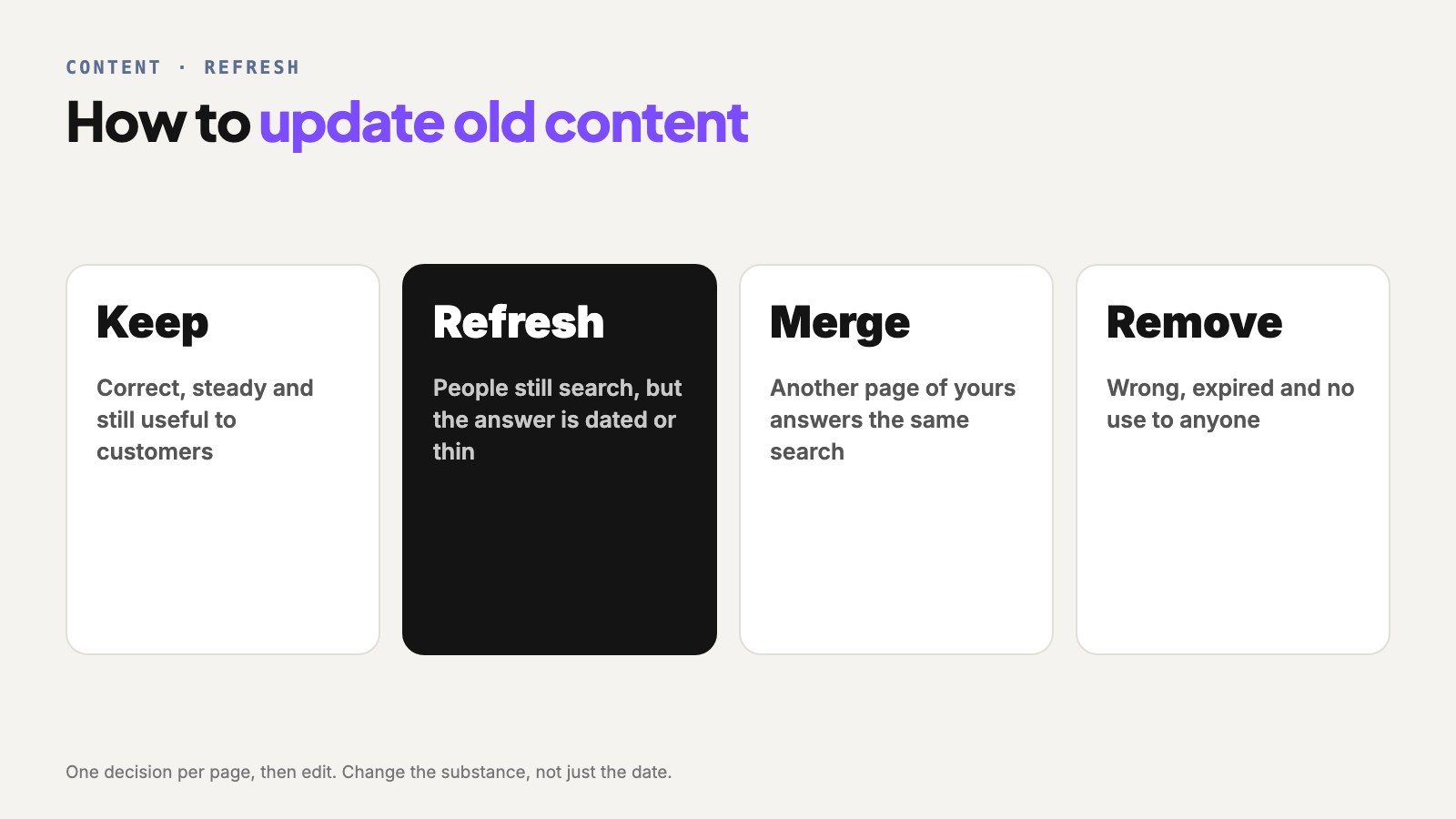
- Updating old content means checking whether a published page is still correct, complete and wanted, then keeping, refreshing, merging or removing it.
- Start with pages that used to get clicks and now get fewer, and pages that already sit just below the results people click.
- Change the substance, not just the date. Google's own checklist asks whether you're changing dates "to make them seem fresh when the content has not substantially changed".
- Deleting isn't a growth trick. Remove a page when it's no use to anyone, and redirect it only if there's a close replacement.
Why Old Content Loses Traffic
A page fades when the search, the facts or the competition move on and the page doesn't. People often call this content decay. Nothing is broken. The page has simply become a worse answer than it was.
| Cause | Clue | Usual response |
|---|---|---|
| Facts went out of date | Old years, prices, screenshots or tools | Refresh |
| The search changed meaning | Top results are now a different kind of page | Rewrite, or aim at a new search |
| Competitors answer better | They cover questions you skip | Refresh with missing answers |
| You published a rival page | Two of your URLs trade places | Merge |
| Demand fell | Impressions drop, position holds | Keep, or let it rest |
| Links to it disappeared | Few internal links after a redesign | Re-link it |
Google's guide to ranking systems says it has "query deserves freshness" systems that show newer content where people expect it. That's true of news, prices and product versions. It isn't true of every subject, so a correct page about tying a knot doesn't need a yearly rewrite.
Step 1: Find the Pages Worth Updating
Compare two equal periods in Search Console and list the pages that lost the most clicks. You need a site-level check first: if everything fell on the same day, the cause is probably technical or an update, and our traffic drop guide is the right place to start.
- Open the Performance report and choose the Pages tab.
- Compare the last three months with the previous three. For seasonal topics, compare with the same months last year.
- Sort by clicks lost, and note the ten biggest.
- Add pages with many impressions and an average position of roughly 8 to 20. They're close.
- Click into each page and switch to Queries to see which searches it lost.
Google's advice on debugging traffic drops suggests the same comparison and warns that "you shouldn't focus too much on your absolute position." New to these reports? Our Search Console guide explains each one.
Step 2: Decide: Keep, Refresh, Merge or Remove
Give every page on your list exactly one decision before you edit anything. It stops you rewriting pages that only needed a link.
| If the page… | Decision | First action |
|---|---|---|
| Is correct and steady | Keep | Leave it; note a review date |
| Has demand but is dated, thin or incomplete | Refresh | Update facts and add missing answers |
| Answers the same search as a stronger page | Merge | Move the best parts, then redirect |
| Is wrong, expired and unwanted | Remove | Return 404 or 410, or redirect to a close match |
| Helps customers but not search | Keep | Judge it by use, not rankings |
| Has good links from other sites | Refresh or merge | Never let those links hit a dead page |
That fifth row matters. A returns policy or setup guide may get no search traffic and still save you phone calls.
Step 3: Refresh a Page in 8 Steps
Keep the address, improve the answer and say honestly when you did it.
- Save the old version and its numbers, so you can compare later.
- Re-read the search. Look at what ranks now. Is it a guide, a list, a product page or a video?
- Correct every fact. Prices, dates, names, screenshots, laws and product features.
- Answer the lost queries. Add a section for each real question the page no longer satisfies.
- Cut what's stale. Remove padding, dead tools and repeated points.
- Add something first-hand. A photo, a result, a price or a lesson since you first published. Our semantic SEO guide shows how to swap vague lines for facts.
- Rewrite the title and description if people see the page but don't click; see our meta title guide.
- Fix the links. Run the Broken Link Checker, add links to newer pages, and link back from two related ones using our internal linking routine.
Dates: When You Can Change the Published Date
Change the updated date when a reader would notice the difference. Fixing a typo isn't an update. Rewriting two sections is.
Google's guidance on byline dates asks you to "Add a user-visible date to the page and feature it prominently" and "Make your dates and times consistent" between the page and its structured data. Keep the original publish date and show a separate updated date, so readers can see both.
The trap is a fresh date on stale text. Google's people-first questions list that as a warning sign, and readers spot it too.
| Change | Update the date? |
|---|---|
| Spelling or layout fix | No |
| One corrected price | Yes, if the page is about prices |
| New section that answers a real question | Yes |
| Replaced old screenshots and steps | Yes |
| Changed the year in the title only | No |
Which Pages to Update First
Start where a small improvement reaches a customer, not where the traffic loss looks most dramatic. Score each page on your list from 0 to 2 for the four questions, then work from the top.
| Question | 0 points | 1 point | 2 points |
|---|---|---|---|
| Does it lead to a sale or enquiry? | Never | Sometimes | Often |
| Is it close to winning? | Far down the results | Second page | Lower half of page one |
| How wrong is it today? | Still correct | Dated | Misleading |
| How long is the fix? | Days | An afternoon | Under an hour |
A misleading page goes first whatever it scores, because someone may be acting on it. When the score says merge, choose the survivor and redirect the other address with our 301 guide: Google treats a redirect as a "strong signal that the target of the redirect should become canonical" (consolidating duplicate URLs). Our keyword cannibalization guide shows how to pick.
When to Remove a Page
Remove a page when it's wrong, expired or useless and nothing needs to replace it. Google's SEO Starter Guide supports it in plain words: update old content as needed, "or even delete it if it's not relevant anymore."
But pruning hundreds of pages to please Google is a different thing. The people-first guidance warns against "removing a lot of older content primarily because you believe it will help your search rankings". Decide page by page.
| Method | Use it when | Remember |
|---|---|---|
| 301 redirect | A close replacement exists | Not to the homepage by default |
| 404 or 410 | Nothing replaces it | Remove links that point to it |
| noindex | People need it, search doesn't | Google must be able to crawl it to see the tag |
| Keep with a note | It's a record people cite | Say it's archived and link to the current page |
Google's crawler documentation says it "doesn't index URLs that return a 4xx status code" (HTTP status codes). For noindex, the page "must not be blocked by a robots.txt file" (noindex guide), or Google can't read the instruction.
After the Update: Tell Search Engines and Measure
Request a recrawl once, wait, then compare the same queries. Google says crawling "can take anywhere from a few days to a few weeks", and that asking repeatedly "won't get it crawled any faster" (recrawl guide). For Bing and other participating engines, our free IndexNow Submitter sends the changed address.
| When | Check | Good sign |
|---|---|---|
| Week 1 to 2 | Last crawl date in URL Inspection | It's after your update |
| Week 4 | Impressions for the lost queries | Rising or steady |
| Week 8 | Clicks and click-through rate | Better than the saved baseline |
| Month 6 | Facts still true | Nothing to fix, or a new review date |
Change one page at a time where you can. If you alter the title, text and links of twenty pages in a day, you won't know what helped.
Example: Refreshing a Dated Buying Guide
One ageing article, four small decisions. The numbers below are invented to show the method.
| Finding | Decision | Change made |
|---|---|---|
| Clicks down from 420 to 90 in three months | Refresh | Put on this month's list |
| The search now shows buying guides by car size | Match it | Added a table by tyre size |
| Two models discontinued | Correct | Removed and replaced after checking stock |
| A newer post covers winter tyre laws | Merge | Moved the useful part, redirected the thin post |
| The year is in the URL | Keep the address | Dropped the year from the title only |
The last row is worth copying: leave years out of new URLs, so the page can be updated without a redirect.
Refresh Mistakes That Cost Traffic
- Changing the URL for neatness. You lose nothing by keeping it, and you risk its links by moving it.
- Rewriting a page that's winning. If a page holds its clicks, correct it lightly.
- Letting AI pad it. Longer isn't fresher. Our guide to AI content and Google covers the checks.
- Deleting pages with links from other sites. Redirect them to the closest match.
- Doing it once. Put reviews in your content calendar, starting with the pages that bring customers.
How CMO Owls Catches Pages Before They Fade
The hard part is noticing in time. CMO Owls watches the pages that matter and turns what it finds into a fix or a draft.
| Job | By hand | A rank tracker | CMO Owls |
|---|---|---|---|
| Notice a fading page | When you remember to look | Tracks chosen keywords | Cash Cow Stalker checks your tracked pages every five days |
| Know how bad it is | Compare exports | Position change | Alerts on clicks, impressions, position, top keyword and engagement |
| Find outdated or weak sections | Re-read every page | Not its job | Owl-gorithm Hacker reviews content quality and topic match |
| Find pages to merge | Spreadsheet | Partly | Owl-gorithm Hacker checks cannibalization |
| Choose between fix and new article | Judgment | No | Opportunity Owl sorts each finding into a fix or an article |
| Spot broken links and titles | Click around | No | Watch Owl checks them across up to 500 pages |
- Cash Cow Stalker tracks up to ten top pages by clicks automatically, plus any you add, and uses fixed thresholds, such as clicks down 20% or more on a page with enough clicks to judge.
- Opportunity Owl then gives you either a precise fix built from your audit's evidence or an article for a real gap.
You make the final call on facts, because only you know what changed in your business. The Owls make sure you hear about the slide in days rather than next quarter.
Mind Map: Updating Old Content
Frequently Asked Questions
Does updating old content help SEO?
It can, when the update makes the page a better answer to a search people still make. Changing only the date or a few words rarely helps and can look misleading.
How often should I update old blog posts?
Review your most valuable pages every three to six months and the rest once a year. Pages about prices, laws or products need checking whenever those change.
What is content decay?
Content decay is the gradual loss of search traffic to a page that once did well. It usually comes from dated facts, better competitors, a changed search or falling demand.
What is content pruning?
Content pruning means removing or merging pages that no longer help anyone. Google warns against removing lots of older content mainly to lift rankings, so judge each page on its use.
Should I delete old blog posts with no traffic?
Not automatically. First check whether the page helps customers, has links from other sites or could be merged into a stronger one.
Should I change the publish date when I update a post?
Keep the original date and show an updated date when the change is substantial. Google asks for visible, consistent dates.
Is it better to update an old post or write a new one?
Update when the old page targets the same search. Write a new page only when the search is clearly different, or the two will compete.
Should I change the URL when refreshing a page?
No, unless you have a strong reason. Keeping the address keeps its links and history, and avoids a redirect.
The Next Step
Open Search Console, compare the last three months with the three before, and give the five biggest losers a decision from the table. Then add your website to CMO Owls so the next page that slips tells you itself.
Sources
- A guide to Google Search ranking systems, Google Search Central, accessed 2026.
- Performance report (Search results), Search Console Help, accessed 2026.
- Debugging drops in Google Search traffic, Google Search Central, accessed 2026.
- Influence your byline dates in Google Search, Google Search Central, accessed 2026.
- Creating helpful, reliable, people-first content, Google Search Central, accessed 2026.
- How to specify a canonical URL, Google Search Central, accessed 2026.
- SEO Starter Guide, Google Search Central, accessed 2026.
- How HTTP status codes affect Google's crawlers, Google, accessed 2026.
- Block Search indexing with noindex, Google Search Central, accessed 2026.
- Ask Google to recrawl your URLs, Google Search Central, accessed 2026.