Key Takeaways
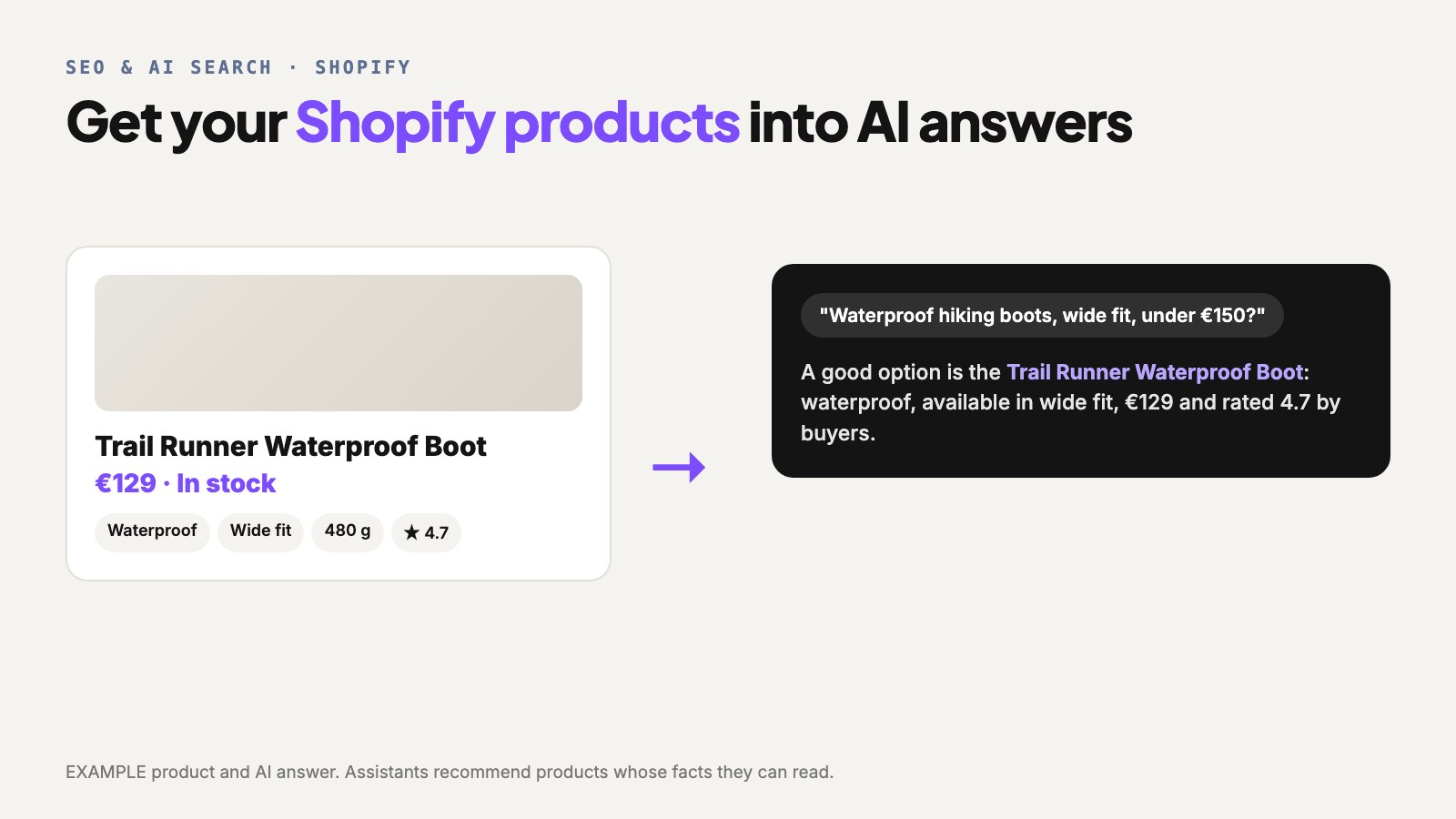
- AI assistants recommend products they can read clearly: a specific name, price, availability, real details and what buyers say. Most Shopify product pages give them too little.
- Shopify already handles the basics: an automatic sitemap, a default robots.txt that Shopify calls optimal for SEO, and canonical tags in standard themes.
- The gaps are yours to fill: thin product descriptions, missing product details, duplicate and empty SEO titles, no Merchant Center feed and AI crawlers you've never checked.
- Don't edit robots.txt casually. Shopify warns that incorrect use can result in loss of all traffic.
How AI Assistants Choose Products
When someone asks an AI assistant for "the best waterproof hiking boots under 150 euros", it can only recommend products it can find, read and trust. That means three things: the assistant's crawler must reach your product pages, the pages must state the facts plainly, and the wider web should say good things about the product.
OpenAI documents OAI-SearchBot, the crawler that finds pages for ChatGPT's search features. Google's products appear in Search, Images, Lens and, according to its free listings help, surfaces including Maps and Gemini when you provide product data through Merchant Center. Our guide on how to get recommended by ChatGPT covers the off-site side; this guide is about making your Shopify store itself easy to read.
What Shopify Already Does for You
Shopify gets the technical foundations right by default, which is why many store owners never look further.
| Feature | What Shopify does | What you still need to do |
|---|---|---|
| Sitemap | Generates sitemap.xml automatically, including products, their primary images, pages, collections and blog posts, and updates it | Submit it to Google and Bing |
| robots.txt | Provides a default file Shopify calls optimal for SEO; it blocks admin, cart, checkout, account pages and filtered and sorted collection URLs | Usually nothing; edit only with care |
| Canonical tags | Themes output a canonical URL for the current page through the canonical_url object | Check your theme hasn't removed it |
| Server-rendered pages | Standard Liquid themes deliver product text in the HTML | Check custom or headless storefronts |
| SSL | HTTPS on every store | Nothing |
Sources: Shopify's help on its automatic sitemap and on editing robots.txt, and the Liquid documentation for canonical_url. Shopify's robots.txt help comes with a clear warning: customising the file is unsupported, and "incorrect use of the feature can result in loss of all traffic."
The Gaps That Keep Products Out of AI Answers
Most Shopify stores fall short in the same five places.
1. Thin product descriptions
A manufacturer's two-line description, copied by every other store, gives an assistant nothing to distinguish your product. Write what a good salesperson would say: who it's for, what problem it solves, materials and dimensions, how it compares with alternatives and what's in the box.
2. Missing product facts
Assistants match specific questions, like "vegan", "fits wide feet" or "machine washable", against specific facts. Put those facts in the page text and in structured fields, not only in images.
3. Empty or duplicate SEO titles and descriptions
Many stores leave Shopify's search engine listing fields blank, so dozens of products share near-identical titles. Each product needs its own clear title and description.
4. Structured product data with holes
Google's documentation on merchant listing structured data lists the required properties, name, image and an offer with a price above zero and a currency, plus recommended ones: availability, shipping details, return policy, ratings and identifiers like GTIN. Its product structured data guide explains the difference between product snippets and merchant listings. Many themes output only the basics; check yours with our Schema Markup Checker, and see our schema markup guide.
5. Duplicate product addresses
A product reachable through several collections, plus tracking parameters from ads and social posts, creates many addresses for one page. Shopify's canonical tags handle most of this, but apps and theme edits can break them. Our guide to canonical tags explains how to check.
Example: A Product Description AI Can Use
Compare two descriptions for the same product. This is an illustrative example.
| Category | Thin (common) | Specific (better) |
|---|---|---|
| Opening | "Premium quality hiking boots for every adventure." | "Waterproof leather hiking boots for day hikes on wet, rocky trails." |
| Who it's for | Not stated | "Wide-fit option; suits walkers who need ankle support." |
| Facts | None | Weight per boot, sole material, waterproof membrane, sizes, care |
| Comparison | None | "Lighter than our winter boot; less insulated, so better from spring to autumn." |
| Proof | None | Review rating and a quote about comfort on long walks |
When someone asks an assistant for "waterproof hiking boots with wide fit for spring", only the second description contains the facts that match. That's the whole game: specific answers to specific questions.
Collections and Buying Guides
AI assistants often answer "best" and "which" questions, and collection pages and buying guides answer them better than single products. Add a short introduction to each main collection explaining who it's for and how to choose, and publish buying guides for your main categories, like "how to choose hiking boots", linking to the relevant products. These pages give search engines and assistants the context that individual product pages lack, and they earn links that product pages rarely do.
Step by Step: Make Your Shopify Store AI-Ready
- Check AI crawlers can reach you. Run our free AI Visibility Checker on your store. Shopify's default robots.txt allows normal crawling of products, so blocks usually come from edits or apps.
- Rewrite your top 20 product descriptions with specific facts, use cases and honest comparisons.
- Fill in every SEO title and description in Shopify's search engine listing fields, unique per product.
- Add alt text to product images that describes the product, colour and angle. Our image SEO guide has examples.
- Complete your product data: GTINs where they exist, availability, shipping and return policies, so structured data and feeds are complete.
- Connect Google Merchant Center for free listings across Google's shopping surfaces.
- Submit your sitemap to Google and Bing, and see our guide to Bing Webmaster Tools for the Copilot side.
- Consider an llms.txt file that summarises your store and links to key collections; our guide to llms.txt explains what it does and doesn't do, and the format is published at llmstxt.org.
Common Shopify Mistakes
- Editing robots.txt to "block bots" and accidentally blocking product pages.
- Deleting old products without redirects, losing the links and rankings they earned. Shopify supports URL redirects; our 301 redirect guide explains when to use them.
- Copying manufacturer descriptions word for word.
- Hiding key facts in images that crawlers can't read.
- Installing many apps that add scripts, duplicate structured data or slow pages down.
- Building a custom headless storefront without checking the product text is in the HTML; see our guide on whether AI crawlers can render JavaScript.
How CMO Owls Gets Shopify Products Into AI Answers
CMO Owls connects to your Shopify store, finds what's keeping products out of search and AI answers, fixes the simple problems in one click and writes the content that gets products recommended. It's built for store owners who'd rather run the shop than learn technical SEO.
| Category | Doing it yourself | A typical Shopify SEO app | CMO Owls |
|---|---|---|---|
| Checks every page in a real browser | No | Partly | Yes, up to 500 pages |
| Fixes missing or duplicate SEO titles and descriptions | One by one | Often, inside its own templates | Yes, written from your page's own content, one click, with undo |
| Checks AI crawlers can read your store | Manual tests | Rarely | Yes, on your website report |
| Tracks what AI assistants say about your brand | Manual prompts | No | Yes, with Generative Engine Owl |
| Writes buying guides and comparisons that get cited | You write them | No | Yes: Owlthor, Growth Hacker, Buzz Creator Owl |
| Watches competitors' products and rankings | Manual | No | Yes, with Spy Owl |
- Watch Owl opens your store pages in a real browser, finds broken pages, errors, slow pages and missing SEO fields, and on Shopify fixes missing or duplicate SEO titles and descriptions for you in one click, with undo. For code-level issues it writes the message for your developer.
- Generative Engine Owl tracks what ChatGPT, Gemini, Claude and Google AI Overviews say about your brand, and shows why AI skips you, with fixes.
- Owlthor writes buying guides that rank, Growth Hacker writes the comparison pages your store is missing, and Buzz Creator Owl answers the questions shoppers ask AI.
- Spy Owl finds your real competitors, what they rank for and who links to them.
When you add your store, the Overview shows within minutes which AI tools can read it, a website grade, Watch Owl's first problems with a "Fix it for me" button, and article ideas for your products. For the off-site side, see our guide on getting backlinks for a new website, and if pages fail to load, our guide to 5xx server errors.
Mind Map: Shopify SEO for AI Search
Frequently Asked Questions
Can ChatGPT recommend products from my Shopify store?
Yes, if its crawler can reach your pages and they describe products clearly. Specific facts, complete product data and mentions elsewhere on the web all make recommendations more likely.
Does Shopify block AI crawlers by default?
Shopify's default robots.txt blocks private areas like the cart, checkout and accounts, plus filtered collection URLs, and leaves products and collections crawlable. Blocks on AI crawlers usually come from edits or apps.
Should I edit my Shopify robots.txt?
Only if you know exactly why. Shopify calls its default optimal for SEO and warns that incorrect edits can lose all traffic.
Does Shopify create a sitemap automatically?
Yes. Every store has a sitemap.xml at the root of its domain listing products, primary images, pages, collections and blog posts, and it updates automatically.
What product data does Google need for rich product results?
For merchant listings, Google requires a product name, image and an offer with a price above zero and a currency, and recommends availability, shipping, returns, ratings and identifiers like GTIN.
Do Shopify product pages have duplicate URLs?
Products can be reachable through several collection paths and tracking parameters. Shopify themes add canonical tags to consolidate them, but apps or theme edits can break this, so it's worth checking.
How do I check whether AI assistants can read my Shopify store?
Run a free AI visibility check on your store's address. It shows whether AI search crawlers are allowed by robots.txt and whether your homepage text is readable without JavaScript, then fix any block it finds.
Do Shopify apps hurt SEO?
They can. Some apps add scripts that slow pages down, inject duplicate structured data or change robots and canonical settings. Remove apps you don't use and check pages after installing new ones.
Should I write buying guides on my Shopify blog?
Yes. Buying guides answer the "which one should I buy" questions shoppers ask AI assistants, link to your products and earn links that product pages rarely get.
Is Google Merchant Center worth setting up for a small store?
Usually yes. Free listings can show your products across Google's shopping surfaces without paying for ads, using the product data you provide.
The Next Step
Pick your five best-selling products today and check each page has a unique SEO title, a specific description and complete product details. Then add your Shopify store to CMO Owls: Watch Owl will find what's missing across every page and fix the simple SEO gaps in one click, while the writing Owls create the guides that get your products into AI answers.
Sources
- Finding and submitting your sitemap, Shopify Help Center, 2026.
- Editing robots.txt.liquid, Shopify Help Center, 2026.
- canonical_url (Liquid object), Shopify Developer Docs, 2026.
- Merchant listing (Product, Offer) structured data, Google Search Central, 2026.
- Intro to Product structured data, Google Search Central, 2026.
- About free listings, Google Merchant Center Help, 2026.
- Overview of OpenAI crawlers, OpenAI, 2026.
- The /llms.txt file, llmstxt.org, 2024.