Key Takeaways
- A website says "Not secure" when the browser can't confirm a private, encrypted connection, usually because the page loads over HTTP instead of HTTPS.
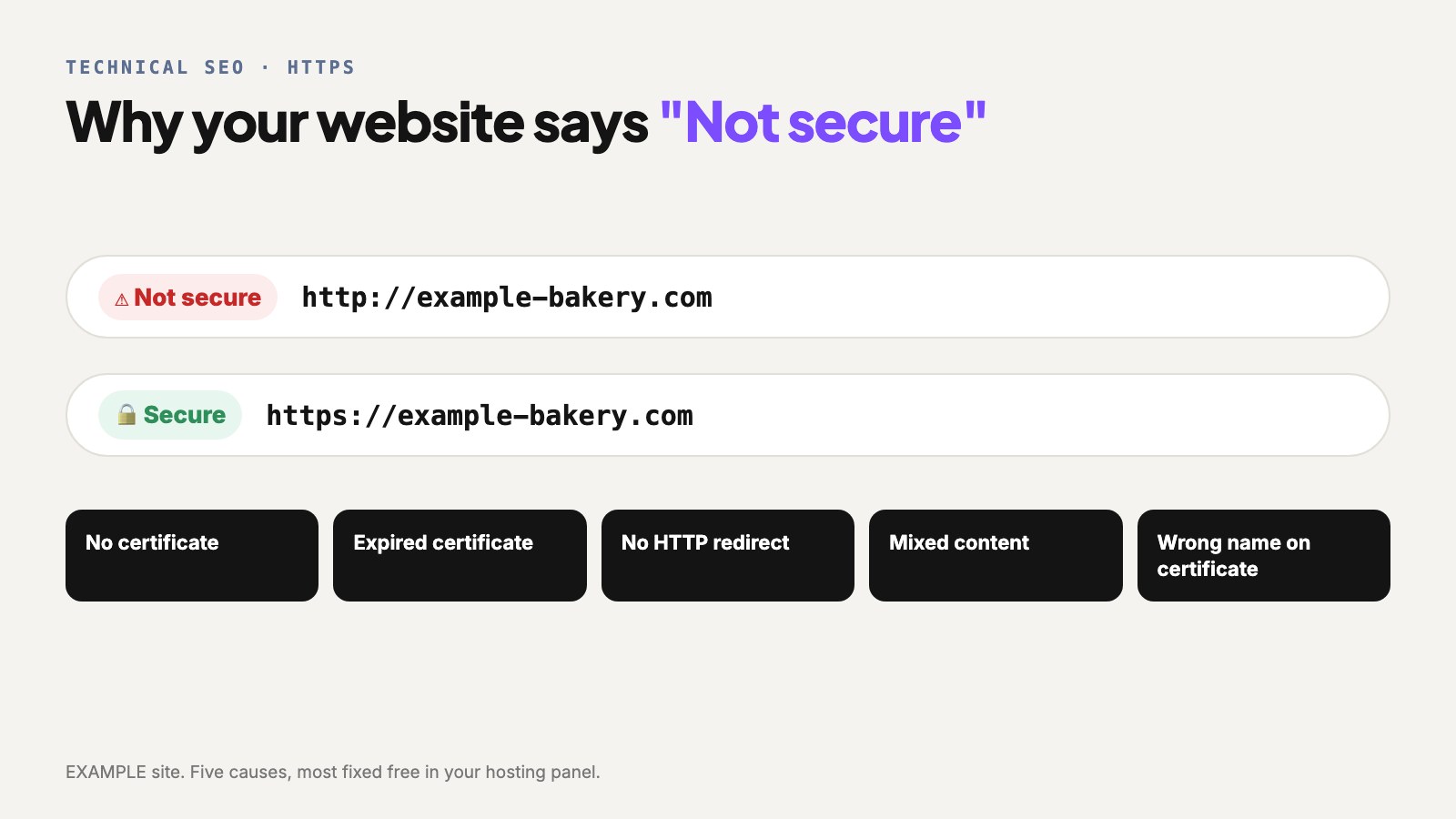
- The five usual causes: no SSL certificate, an expired certificate, HTTP pages that don't redirect, mixed content, and a certificate that doesn't match the address.
- Most fixes are free. Let's Encrypt, for example, says plainly: "We do not charge a fee for our certificates."
- Google has used HTTPS as "a very lightweight" ranking signal since 2014. The bigger cost of the warning is lost trust and lost enquiries.
What "Not Secure" Means
"Not secure" means the browser can't confirm that the connection between your visitor and your website is private. Google's Chrome help explains it directly: the site "doesn't use a private connection", and "To resolve this issue, the site owner must secure the site and your data with HTTPS" (Chrome Help).
HTTPS encrypts what travels between the browser and your server, so a contact form, a password or a card number can't be read on the way. It depends on an SSL certificate (strictly a TLS certificate today), a small file on your server that proves the site is yours.
Visitors don't need to know any of that. They see the words "Not secure" next to your name, and many of them leave before they type anything.
Why the Warning Costs You Customers
The warning appears exactly where trust matters most: next to your address, before someone books, buys or sends a form.
- It undermines every claim on the page. A visitor reading "trusted by 500 local families" next to "Not secure" believes the browser.
- It blocks forms and payments. Many payment providers and browser features expect HTTPS, and some refuse to work without it.
- It's a small ranking signal. In 2014 Google said it was "starting to use HTTPS as a ranking signal", adding "For now it's only a very lightweight signal" (Google Search Central Blog). Its page experience guide still asks "Are your pages served in a secure fashion?"
Be wary of anyone promising a ranking jump from HTTPS alone. Fix it because it removes a reason for customers to leave, and because it's one of the cheapest fixes on any website.
The 5 Causes of the "Not Secure" Warning
Find your cause first; each one has a different fix.
| Cause | How it looks | Fix |
|---|---|---|
| No certificate installed | Every page shows "Not secure"; https:// addresses fail | Install a certificate (often free in your hosting panel) |
| Certificate expired | A full-page warning that the connection isn't private | Renew it, then switch on automatic renewal |
| HTTP pages still load | https:// works, but http:// addresses stay on HTTP | Redirect every HTTP address to HTTPS |
| Mixed content | HTTPS page, but images or scripts load over HTTP | Change those files' addresses to https:// |
| Certificate doesn't match the address | Works on www, fails without it (or the reverse) | Cover both names on the certificate |
How to Fix It: Step by Step
Work through these in order; most small business sites are fixed by step 3.
- Check what visitors see. Open your site in a private window, type the address with http:// and then https://, and with and without www. Note which ones warn.
- Install a certificate. Most hosts offer a free one with a single switch, usually called SSL, HTTPS or Let's Encrypt. Let's Encrypt describes itself as "a free, automated, and open Certificate Authority" (Let's Encrypt).
- Turn on automatic renewal. Certificates expire. Let's Encrypt's FAQ says "Our default certificates are valid for 90 days", which is why automatic renewal matters more than the first install.
- Redirect HTTP to HTTPS. Every http:// address should send visitors to the https:// version with a permanent redirect. Our 301 redirect guide has the steps for WordPress, Shopify and common servers, and the Redirect Checker confirms it.
- Fix mixed content. Find any image, script or font still loading over http:// and change it to https:// (see below).
- Update your own links. Menus, buttons, your Google Business Profile and social bios should all use the https:// address.
- Tell Google. Submit your sitemap with https:// addresses in Search Console.
If your platform is Shopify, Wix, Squarespace or a similar hosted builder, certificates are usually included and managed for you. If the warning still appears, the cause is almost always mixed content or a custom domain that isn't fully connected.
Mixed Content: Why the Warning Survives HTTPS
Mixed content is an HTTPS page that still pulls some of its files over plain HTTP. MDN defines it as securely loaded pages "that use resources to be fetched via HTTP" (MDN Web Docs).
Modern browsers handle it in two ways. MDN describes them "auto-upgrading image, video, and audio mixed content requests from HTTP to HTTPS", and they "block insecure requests for all other resource types." So an old script address can silently break a booking widget or a contact form, even after the padlock looks fine.
How to find mixed content
- Open the page in Chrome, right-click, choose Inspect and open the Console tab.
- Look for warnings that mention "Mixed Content"; each one names the file.
- Search your site's content and theme settings for "http://" and change your own files to https://.
- For files on other services, use their https:// address, or replace the service.
Common culprits are old images pasted into blog posts, a logo set in theme settings years ago, and embedded widgets from services that have since moved to HTTPS addresses.
Expired and Mismatched Certificates
An expired or mismatched certificate is worse than no certificate, because the browser shows a full-page warning before your site even loads. Chrome's connection help describes the "Not secure" state as "Something is wrong with the privacy of this site's connection."
- Expired: renewal failed, often after a hosting change, a moved domain or a payment that bounced. Renew it, then fix whatever stopped the automatic renewal.
- Wrong name: the certificate covers www.example.com but not example.com, or the other way round. Ask your host to include both, and redirect one to the other, as our canonical tag guide explains for duplicates.
- Wrong date on the visitor's device: rare, but a phone with the wrong clock can show certificate errors on every site. If only one person reports it, ask them to check their date.
Moving From HTTP to HTTPS Without Losing Rankings
Treat the switch like a small site move: same pages, new addresses, permanent redirects. Google's site move guide lists "URL changes from HTTP to HTTPS" as a move with URL changes, advises "For a move to HTTPS, get and configure the required TLS certificates on your server", and recommends: "Use server side permanent redirects if technically possible."
It also notes the Change of Address tool is something "You don't need ... for HTTP to HTTPS moves". Redirects do the work. If you're changing more than the protocol, such as a new design or new URLs, follow our website redesign SEO checklist instead.
Lock It In With HSTS
HSTS is a header that tells browsers to use only HTTPS for your site from now on. MDN explains that it "informs browsers that the host should only be accessed using HTTPS", so "any future attempts to access it using HTTP should automatically be upgraded to HTTPS" (MDN Web Docs).
Add it only once HTTPS works everywhere, including every subdomain you include. MDN warns that with HSTS "the browser will not allow the user to bypass secure connection errors, such as an invalid certificate." That's the point, but it means an expired certificate becomes a hard stop. Check whether yours is set with our free Security Headers Checker.
HTTPS Mistakes That Bring the Warning Back
| Mistake | What happens | Better |
|---|---|---|
| Certificate installed, no redirect | Old links and bookmarks still open the HTTP page | Redirect every HTTP address permanently |
| Redirect to the homepage only | Visitors and Google lose the page they wanted | Redirect each page to its HTTPS twin |
| Manual renewal | The site breaks on the expiry date | Automatic renewal, plus a reminder |
| Ignoring mixed content | Forms or widgets stop working | Check the browser console on key pages |
| Adding HSTS too early | Visitors can't bypass a certificate error | Add it after everything works on HTTPS |
| Forgetting other profiles | Profiles keep sending people to http:// | Update Google, social and directory links |
A slow site after switching is usually unrelated to HTTPS itself; our guide to why a website is slow covers the real causes, and server errors explains what to check if pages fail after the change.
A 5-Minute Check After Any Website Change
Certificates and redirects break most often after something else changes: a new host, a new theme, a new domain or a moved site. Run this short check whenever one of those happens.
- Open the homepage and two inner pages on your phone and look for the warning.
- Type the http:// version of one inner page and confirm it lands on the https:// version of the same page.
- Open the browser console on your contact page and look for mixed content warnings.
- Submit your contact form and confirm the message arrives.
- Check the certificate's expiry date in your hosting panel and that automatic renewal is still on.
Five minutes after a change is far cheaper than a week of visitors seeing a warning you didn't know about.
How CMO Owls Keeps the Warning From Coming Back
Fixing the warning once is easy. Noticing the day a certificate fails to renew, or a new image arrives over HTTP, is what CMO Owls does for you.
| Job | On your own | A one-off checker | CMO Owls |
|---|---|---|---|
| Check SSL and certificate expiry | When you remember | Once, when you run it | Watch Owl checks SSL, DNS and domain expiry on every crawl |
| Check security headers like HSTS | Manual | Yes, one page | Watch Owl checks them across the site |
| Find failed requests and console errors | Browser tools, page by page | Rarely | Watch Owl records them on every page it opens |
| Test that forms still work | Fill them in yourself | No | Watch Owl tests forms but never submits checkout or payment |
| Spot redirect chains after the switch | Manual | One URL at a time | Watch Owl flags redirect chains and loops |
| Notice a traffic drop afterwards | Monthly at best | No | Cash Cow Stalker checks your top pages every five days |
- Watch Owl opens up to 500 pages in a real browser and runs 54 checks, including SSL, DNS, domain expiry, security headers, failed requests and redirect chains, then gives you a fix list, worst problem first.
- Cash Cow Stalker watches your most valuable pages every five days using Search Console, GA4 and the page itself, so a problem after the switch shows up as an alert instead of a mystery.
You still install the certificate with your host. The Owls make sure it stays working, and that the site around it does too.
Mind Map: Fixing "Not Secure"
Frequently Asked Questions
Why does my website say not secure?
Usually because the page loads over HTTP instead of HTTPS, or because the certificate is missing, expired or doesn't match the address. Mixed content on an HTTPS page can also trigger warnings.
How do I get a free SSL certificate?
Check your hosting panel first; most hosts install free certificates with one switch. Let's Encrypt provides them free of charge, and many hosts use it behind the scenes.
Does "Not secure" hurt my Google rankings?
HTTPS is a very lightweight ranking signal, so the direct effect is small. The larger effect is visitors leaving because the warning makes them distrust the site.
Why does my site still say not secure after installing SSL?
Usually because HTTP addresses don't redirect to HTTPS, or because some images or scripts still load over HTTP. Check the browser console for mixed content warnings.
How long does an SSL certificate last?
It depends on the provider. Let's Encrypt's default certificates last 90 days, which is why automatic renewal is essential.
Is my site safe to use if it says not secure?
Browsing is usually fine, but anything typed into the page can't be considered private. Don't enter passwords or payment details on a page that shows the warning.
Do I need HTTPS if I don't sell anything online?
Yes. Contact forms, logins and even search boxes send information, and browsers label every HTTP page the same way regardless of what it does.
What is HSTS and do I need it?
HSTS tells browsers to always use HTTPS for your site. Add it only after HTTPS works everywhere, because it stops visitors from bypassing certificate errors.
The Next Step
Type your address with http:// and https:// today and see which one warns; then turn on your host's free certificate and redirect everything to HTTPS. Then add your website to CMO Owls so Watch Owl keeps checking the certificate, headers and pages behind it.
Sources
- Check if a site's connection is secure, Google Chrome Help, accessed 2026.
- HTTPS as a ranking signal, Google Search Central Blog, 2014.
- Understanding page experience in Google Search results, Google Search Central, accessed 2026.
- How It Works, Let's Encrypt, 2025.
- FAQ, Let's Encrypt, 2025.
- Mixed content, MDN Web Docs, 2026.
- Strict-Transport-Security header, MDN Web Docs, 2026.
- How to move a site, Google Search Central, accessed 2026.