The Answer
What is a sitemap? It's a file that lists the pages, images, videos and other files on your site that you want search engines to know about, usually at an address like example.com/sitemap.xml. In Google's words, search engines "read this file to crawl your site more efficiently."
- Most sites need only the basic version: a list of page addresses, each with the date it last changed.
- A sitemap helps search engines discover pages. It doesn't make them rank, and Google says it doesn't guarantee they'll be crawled or indexed.
- Most website builders create one for you. Your job is to make sure it lists the right pages and that search engines know where it is.
Sitemaps, Briefly
Search engines find pages mainly by following links. That works well on a small site where every page is linked from somewhere. It works less well on a big site, a brand-new one, or one with pages buried several clicks deep. A sitemap fills the gaps by handing over the list directly.
The format dates from 2005, when Google introduced the Sitemaps protocol; it's now documented at sitemaps.org and supported by Google, Bing and others. The core of it hasn't changed much since. Google's own sitemaps overview describes it as a file about "the pages, videos, and other files on your site, and the relationships between them."
The word "sitemap" also means something else in web design, which is why searches for it turn up Figma templates as well as XML files. More on that below.
A Sitemap Example, Line by Line
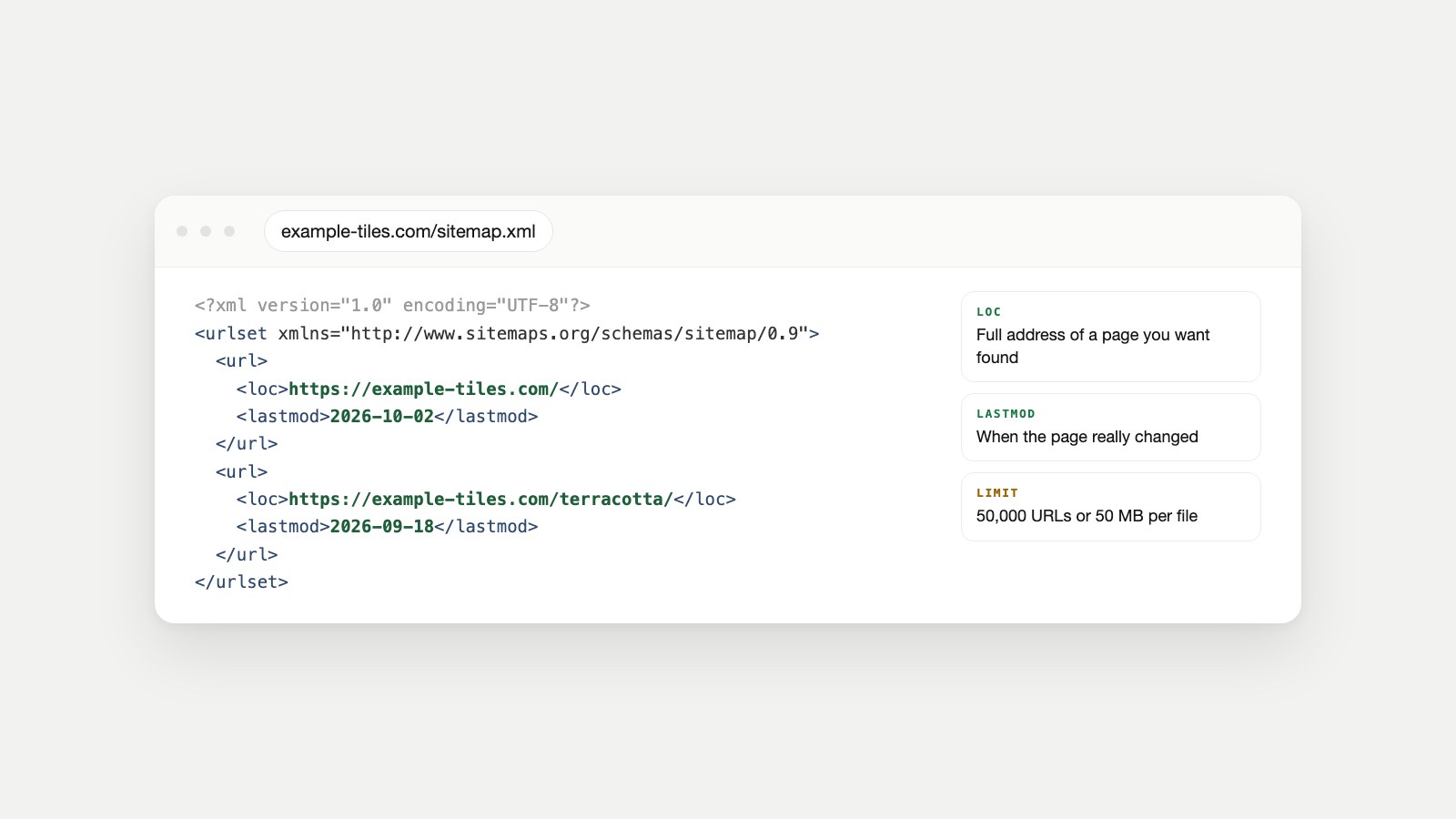
Here's the complete sitemap for an imaginary tile shop, example-tiles.com, with two pages. It's the same file shown at the top of this page:
<?xml version="1.0" encoding="UTF-8"?>
<urlset xmlns="http://www.sitemaps.org/schemas/sitemap/0.9">
  <url>
    <loc>https://example-tiles.com/</loc>
    <lastmod>2026-10-02</lastmod>
  </url>
  <url>
    <loc>https://example-tiles.com/terracotta/</loc>
    <lastmod>2026-09-18</lastmod>
  </url>
</urlset>| Line | What it does | Rules |
|---|---|---|
| <?xml ... ?> | Declares an XML file | The file must be UTF-8 encoded |
| <urlset> | Wraps the whole list and names the protocol | Required, with the sitemaps.org namespace |
| <url> | One entry per page | Required |
| <loc> | The page's address | Required; full absolute URL, under 2,048 characters |
| <lastmod> | When the page last changed | Optional; YYYY-MM-DD is fine; must be the page's real change date |
| <changefreq>, <priority> | Hints about update frequency and importance | Optional; Google ignores both |
Two details trip people up. Addresses must be complete (https://example-tiles.com/terracotta/, never /terracotta/), and special characters inside them must be escaped, so an ampersand is written as &. Google's build-and-submit guide also notes that it uses lastmod only when it's "consistently and verifiably" accurate, so a sitemap that stamps every page with today's date teaches Google to ignore your dates. The Sitemap Checker flags exactly that pattern.
Sitemap Templates You Can Copy
Every type below is an ordinary sitemap with one extra namespace and a few extra tags. Replace the example addresses with your own.
For images
Use this when images matter to how people find you (products, photography, recipes). Each page entry can list up to 1,000 images, according to Google's image sitemap documentation.
<?xml version="1.0" encoding="UTF-8"?>
<urlset xmlns="http://www.sitemaps.org/schemas/sitemap/0.9"
        xmlns:image="http://www.google.com/schemas/sitemap-image/1.1">
  <url>
    <loc>https://example-tiles.com/terracotta/</loc>
    <image:image>
      <image:loc>https://example-tiles.com/img/terracotta-hexagon.jpg</image:loc>
    </image:image>
  </url>
</urlset>
For video
A video entry needs a thumbnail, a title and a description, plus either the video file or the player address. Google's video sitemap guide lists the optional extras.
<url>
  <loc>https://example-tiles.com/how-to-grout/</loc>
  <video:video>
    <video:thumbnail_loc>https://example-tiles.com/thumbs/grout.jpg</video:thumbnail_loc>
    <video:title>How to grout floor tiles</video:title>
    <video:description>Mixing, spreading and cleaning grout in 6 minutes.</video:description>
    <video:content_loc>https://example-tiles.com/video/grout.mp4</video:content_loc>
  </video:video>
</url>
<!-- add xmlns:video="http://www.google.com/schemas/sitemap-video/1.1" to <urlset> -->
For news publishers
Only for publishers in Google News. Google's news sitemap rules say to include only articles from the last two days, with up to 1,000 news entries per file.
<url>
  <loc>https://example-news.com/2026/10/14/council-budget/</loc>
  <news:news>
    <news:publication>
      <news:name>Example News</news:name>
      <news:language>en</news:language>
    </news:publication>
    <news:publication_date>2026-10-14</news:publication_date>
    <news:title>Council approves next year's budget</news:title>
  </news:news>
</url>
<!-- add xmlns:news="http://www.google.com/schemas/sitemap-news/0.9" to <urlset> -->
For pages in several languages
If a page exists in more than one language, each entry lists every version, including itself. Google explains the pattern in its guide to localized versions.
<url>
  <loc>https://example-tiles.com/en/terracotta/</loc>
  <xhtml:link rel="alternate" hreflang="en" href="https://example-tiles.com/en/terracotta/"/>
  <xhtml:link rel="alternate" hreflang="fr" href="https://example-tiles.com/fr/terre-cuite/"/>
</url>
<!-- repeat for the /fr/ page with the same two links;
     add xmlns:xhtml="http://www.w3.org/1999/xhtml" to <urlset> -->
Splitting a big site into several files
One sitemap can hold at most 50,000 URLs or 50 MB uncompressed. Past that, split it and list the files in an index file. Google's guide to large sitemaps allows up to 50,000 sitemaps per index, and up to 500 index files per site in Search Console.
<?xml version="1.0" encoding="UTF-8"?>
<sitemapindex xmlns="http://www.sitemaps.org/schemas/sitemap/0.9">
  <sitemap>
    <loc>https://example-tiles.com/sitemap-pages.xml</loc>
    <lastmod>2026-10-02</lastmod>
  </sitemap>
  <sitemap>
    <loc>https://example-tiles.com/sitemap-products.xml</loc>
  </sitemap>
</sitemapindex>
Google also accepts RSS and Atom feeds and plain text files (one URL per line) as sitemaps. They're simpler, but they can't carry image or news details.
HTML Sitemap vs XML: Two Different Audiences
An HTML sitemap is an ordinary web page listing links to your main sections and pages, written for people. The XML kind is written for search engines and never shown to visitors. Large shops often have both: a page in the footer called "Sitemap" for people, and a sitemap.xml for crawlers.
| Category | HTML sitemap | XML file | UX / design sitemap |
|---|---|---|---|
| Who it's for | Visitors | Search engines | Designers and clients |
| What it is | A web page of links | A machine-readable file | A diagram of a site's structure |
| Where it lives | Linked in the footer | Usually /sitemap.xml | Figma, Miro, a slide or paper |
| Helps with | Finding pages; internal links | Discovery and recrawling | Planning navigation before building |
An HTML sitemap is optional for most small sites, since good navigation does the same job. It earns its place on large sites where some sections are hard to reach from the menu. The third column is the one behind searches like "sitemap template in Figma": a planning diagram drawn before a site is built. It has nothing to do with search engines, but drawing one first usually produces a site that needs less fixing later.
Do You Actually Need a Sitemap?
Not always. Google says you might not need one if your site is "small" (about 500 pages or fewer that you want in search), it's comprehensively linked internally, and you don't have many media files or news pages. You probably do want one if:
- Your site is large, so some pages are likely to be missed by link-following alone.
- Your site is new and has few links from other sites.
- You publish lots of images or video, or appear in Google News.
In practice, most platforms make one automatically, it costs nothing to keep, and it gives you a useful report in Search Console. So the real question is rarely "should I have one?" It's "is the one I have accurate?"
How to Create a Sitemap
The right method depends on how your site is built. In order of how often each applies:
- Check whether you already have one. Visit yoursite.com/sitemap.xml, /sitemap_index.xml or /wp-sitemap.xml. Most builders create a sitemap without asking.
- Use your platform's built-in sitemap, from the table below.
- Use a plugin or generator if your platform doesn't make one, or makes one you can't control.
- Write or script it yourself for a small static site or a custom build.
| Platform | How it works |
|---|---|
| WordPress | Since version 5.5, WordPress makes a sitemap at /wp-sitemap.xml automatically, up to 2,000 URLs per file. SEO plugins such as Yoast or Rank Math replace it with their own. |
| Shopify | Every store gets an automatic sitemap.xml covering products (with their main image), collections, pages and blog posts. |
| Squarespace | Generated automatically for every live site, including image details. Not available on trial sites. |
| Wix | Generated automatically at /sitemap.xml. |
| Webflow | Generated once you switch it on in the site's SEO settings. |
| Static sites and frameworks | Most site generators and frameworks have a sitemap plugin or setting; check the docs for yours. |
| Hand-built | Copy the template above, list every page you want found, and upload it to your site's root folder. |
Creating one by hand
For a site of a few dozen pages that rarely changes, writing the file yourself is perfectly reasonable. List only pages you want in search results, use the final address of each page (not one that redirects; our Redirect Checker shows which do), save it as UTF-8, and upload it to the root of your site. A sitemap at the root can cover the whole site; one inside a folder only covers that folder, unless you submit it in Search Console.
Generating one with a script
For a custom site, generate the file from the same data that builds your pages, so it can never fall out of date. A minimal Python version:
from datetime import date
pages = [("https://example-tiles.com/", date(2026, 10, 2)),
         ("https://example-tiles.com/terracotta/", date(2026, 9, 18))]
rows = "\n".join(f"  <url><loc>{u}</loc><lastmod>{d.isoformat()}</lastmod></url>" for u, d in pages)
xml = ('<?xml version="1.0" encoding="UTF-8"?>\n'
       '<urlset xmlns="http://www.sitemaps.org/schemas/sitemap/0.9">\n' + rows + "\n</urlset>\n")
open("sitemap.xml", "w", encoding="utf-8").write(xml)
Whatever the method, the contents matter more than the tool. A sitemap full of redirects, error pages and pages marked noindex tells search engines your list can't be trusted. The Sitemap Checker page has the full table of what belongs and what doesn't.
How to Find the Sitemap of Any Website
Three checks find almost any site's sitemap, yours or a competitor's:
- Read robots.txt. Visit example.com/robots.txt and look for a line starting with Sitemap:. It's the official way to declare one, and sites can list several.
- Try the common addresses: /sitemap.xml, /sitemap_index.xml, /wp-sitemap.xml and /sitemap.txt.
- Ask the checker. Enter just the domain in the Sitemap Checker and it tries robots.txt and the standard addresses for you, then validates what it finds.
If none of these turns anything up, the site may not have one, or it may only be submitted privately in Search Console. Reading a competitor's sitemap is a quick way to see how their site is organised and how often they publish.
Telling Search Engines Where It Is
There are two ways that matter, and you should do both.
- Add a Sitemap line to robots.txt. For example: Sitemap: https://example-tiles.com/sitemap.xml. Google says it finds the line the next time it crawls your robots.txt, and you can list as many sitemaps as you like. Our robots.txt Generator adds the line for you, and our robots.txt guide explains the rest of the file.
- Submit it in Search Console (Indexing, then Sitemaps), and in Bing Webmaster Tools. Search Console then shows when Google last read the file and any processing errors.
The old shortcut of "pinging" Google with a sitemap address no longer works: Google deprecated the ping endpoint in June 2023 and pointed people to accurate lastmod dates instead. And remember Google's caveat: submitting a sitemap is "merely a hint." If a listed page still isn't indexed, the sitemap isn't the problem. Our guide to why a page isn't indexed and the Indexability Checker cover what to look at next.
Sitemaps have a newer cousin for AI tools: llms.txt, a short guide to your most important pages written for language models. It doesn't replace a sitemap. Our llms.txt explainer covers the difference.
When the Sitemap Is Part of a Bigger Problem
A messy sitemap is usually a symptom. Redirected pages in the list mean old addresses were never cleaned up (see what a 301 redirect is); error pages mean something was deleted without a plan. If you're seeing that, check the rest of the site too, with our guides to an SEO audit and a website audit.
Two of our agents check sitemaps as part of a wider crawl. Watch Owl reports the URL count and file size, sitemap URLs that don't load, noindex pages listed in the sitemap, and whether the sitemap matches each page's canonical. Owl-gorithm Hacker covers the crawl-and-index layer of an SEO audit, so sitemap problems are read alongside everything else that affects indexing.
Sitemap FAQ
What is a sitemap in simple words?
A list of the pages on your website that you want search engines to find, saved as a file they can read. It's usually at yoursite.com/sitemap.xml.
What's the difference between an HTML sitemap and an XML sitemap?
An HTML sitemap is a web page of links for visitors. The XML version is a file for search engines that visitors never see. Most small sites only need the XML file.
Does a sitemap help SEO?
It helps search engines discover and recrawl your pages, which matters most on large or new sites. It doesn't improve rankings by itself, and Google doesn't guarantee that listed pages will be indexed.
Does WordPress create a sitemap automatically?
Yes. Since version 5.5, WordPress publishes one at /wp-sitemap.xml. SEO plugins like Yoast and Rank Math replace it with their own, usually at /sitemap_index.xml.
Is there a limit on sitemap size?
Up to 50,000 URLs or 50 MB uncompressed per file. Larger sites split their URLs across several sitemaps and list them in an index file.
Should every page be in my sitemap?
No, only the pages you want in search results. Leave out redirects, error pages, duplicates, pages marked noindex and internal search results.
How often should a sitemap be updated?
Whenever pages are added, removed or meaningfully changed. Platforms that generate sitemaps automatically do this for you; a hand-written file needs updating by hand.
Do I need to resubmit my sitemap after every change?
No. Once Google knows where it is, through Search Console or robots.txt, it rereads the file on its own schedule. Accurate lastmod dates help it spot what changed.
Can I see a competitor's sitemap?
Usually, yes. Check their robots.txt for a Sitemap line or try /sitemap.xml. Sitemaps are public files, so reading one is no different from visiting the site.
Documentation Used
- Learn about sitemaps, Google Search Central.
- Build and submit a sitemap, Google Search Central.
- Manage your sitemaps with sitemap index files, Google Search Central.
- Image sitemaps, video sitemaps and news sitemaps, Google Search Central.
- Tell Google about localized versions of your page, Google Search Central.
- Sitemaps ping endpoint is going away, Google Search Central Blog, 2023.
- Sitemaps XML format, sitemaps.org.
- New XML sitemaps functionality in WordPress 5.5, Make WordPress Core, 2020.
- Finding and submitting your sitemap, Shopify Help Center.
- View your site map, Squarespace Help.